AI 3D Hologram Video Generator: Become a Glowing Projection
Upload one full-body photo for a sci-fi projection. The preset adds a ring at the feet, an upward scan and a cyan hologram, using the original pose and background as the starting point.
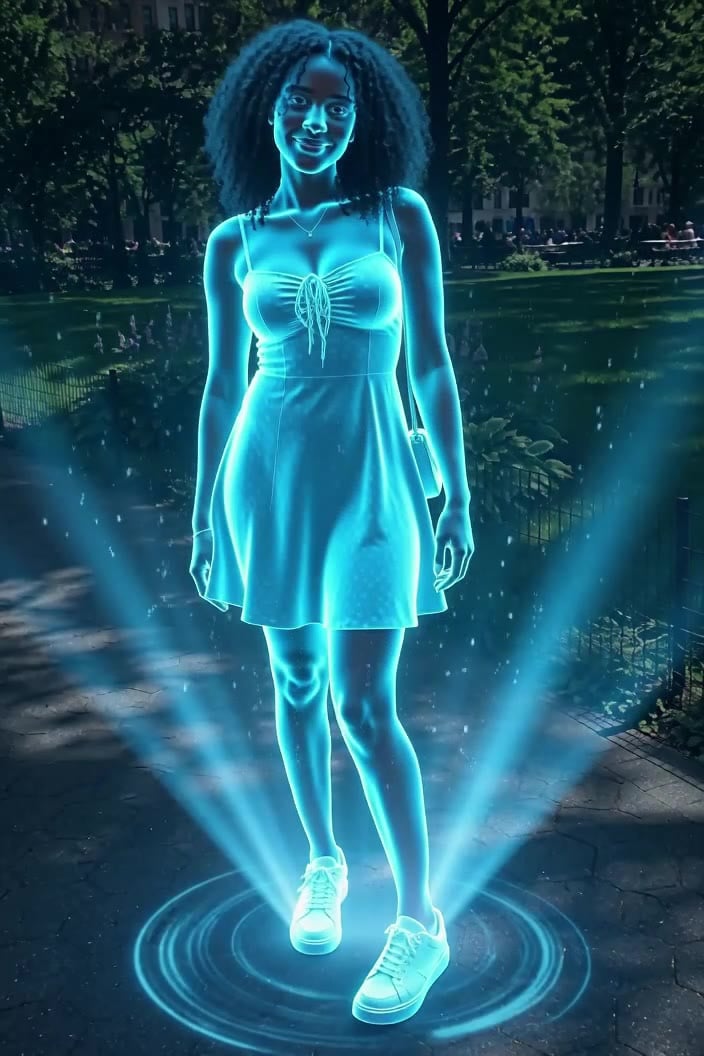
Include both shoes for the projection ring and keep the face sharp and evenly lit. A neutral background helps the cyan outline stand out.
284 credits per 5-second video
The photo checklist is an FYP FX preparation diagram. The scene image is an external visual reference, not a FYP FX-generated result. Your clip may differ.
Check the feet, face and lighting
- Include the whole body so the ring and the scan are visible.
- Use a sharp, evenly lit face.
- Avoid group photos and very bright backgrounds that wash out the glow.
Sign in and check your credit balance. View credit plans.
Follow the scan to the final shimmer
- Facial detail and clothing edges can soften under the scan lines and glow.
- The preset fixes the colour to cyan and exports a video, not a 3D model or projector file.
- The output is silent and keeps the source aspect ratio.
For a hologram video on TikTok, start the clip on the original photo and add a caption such as “incoming transmission” away from the face.
Preset details reviewed by FYP FX ·
See the hologram look and framing
Compare the photo checklist with an external cyan-hologram reference. The reference shows a visual style rather than a tested FYP FX result.
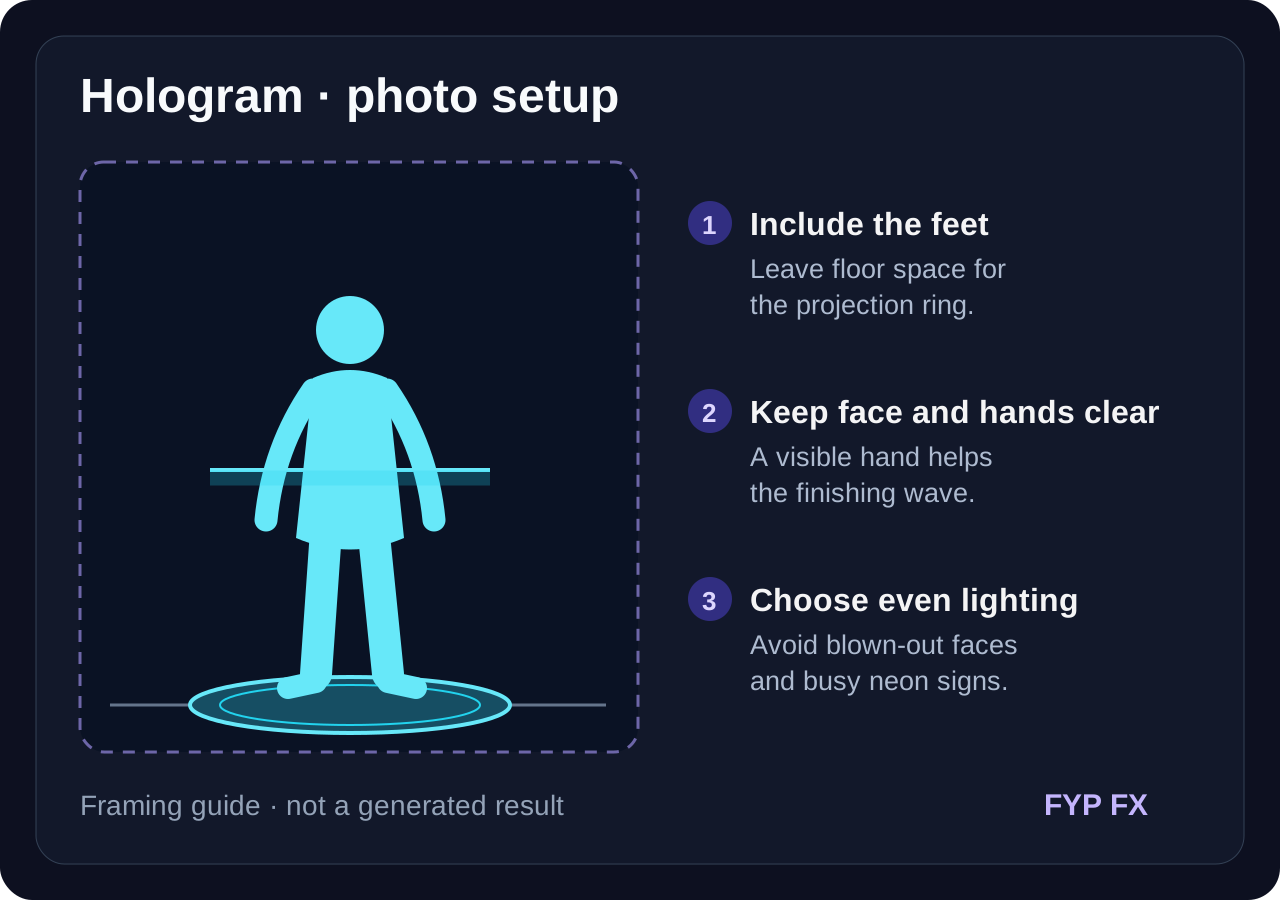
Photo checklist: feet, face and hands
Include the feet and floor for the projection ring. Keep the face and a hand visible for the scan and small finishing wave.
FYP FX photo preparation guideCyan projection on a light ring
A standing person glows in translucent cyan light above a circular projector ring, with light beams rising beside them. Use it as a reference for full-body framing and the hologram look.
GoEnhance ↗The photo checklist is an FYP FX preparation diagram. The scene image is an external visual reference, not a FYP FX-generated result. Your clip may differ.
Prepare a clear hologram take
Start with a full-body photo and a clear face, then check the scan and the shimmer.
Upload a standing photo
Use one full-body photo of one person with a clearly lit face.
Generate the projection
Confirm the 284-credit cost, then select Generate once. The ring, scan and glow are preset.
Check the face inside the glow
Review the scan and the final shimmer, then download and add a sci-fi sound.
Making a clear 3D Hologram clip
Scan lines and glow can soften facial detail. Start with a sharp, evenly lit face, then check the face again after the scan reaches the head.
No. The hologram is generated inside the video; there is no hardware involved.
No. This preset uses a cyan glow with scan lines. There is no colour selector.
A silent 5-second, 720p generation costs 284 credits. Check the displayed cost and your balance before generating.
You can upload one, but the feet and projection ring will be outside the source framing. A full-body photo better matches the preset; AI may invent missing parts of a tight crop.
The output is silent. Add a hum or transmission sound in your editor after downloading.
Check your generation history and balance before submitting again, and contact support if the status stays unclear.
Plan your hologram clips
View credit plans before creating your hologram videos.
What is the AI 3D Hologram effect?
The AI 3D Hologram effect turns a person in one photo into a glowing sci-fi projection: a light ring appears at their feet, a beam scans upward, and their body and clothes become translucent cyan light with scan lines and drifting particles. The scan starts from the original pose, then the person makes a small smile and hand wave. The preset aims to retain the face and background; no projector or special display is needed.
Show the feet for the ring and the face for the glow
A full-body photo gives the projection ring a visible floor and lets the scan travel from the shoes to the head. Keep enough detail in the face to recognize it after cyan light and scan lines are added.
- Use one standing person shown head to toe, with a clearly lit face.
- A darker or evenly lit background makes the cyan glow stand out.
A light ring, a rising scan and cyan translucency
- Facial detail can soften inside the glow and the flicker can vary between takes.
- The look is a generic sci-fi hologram, not a specific movie or franchise effect.
The hologram builds in three stages
The preset builds a hologram from the ground up. The scan, glow and final gesture are generated, so their timing and strength may differ.
01The projection ring appears
The preset first adds a glowing cyan circle on the ground at the person’s feet.
02The beam scans upward
A horizontal band of light travels from the feet to the head, turning the person and their outfit into a cyan projection.
03Shimmer, smile and wave
After the scan, the preset asks for a small smile and wave, then a held pose with shimmering scan lines and upward particles.
Finish and share your clip
For a hologram TikTok, add a low electronic hum that rises with the scan beam and a short glitch sound on the final shimmer; it works well as a futuristic intro or an incoming transmission edit.
What makes this an AI 3D Hologram effect?
Is this a real 3D model?
No. It is a generated video that gives a person a glowing hologram look. It does not export a 3D model.
Why does the clothing stay visible?
The preset asks the glowing outfit to retain its original shape and coverage. Check its edges and details after the scan, because AI can change them.
Is it based on a specific film?
No. It uses a generic sci-fi projection style with no franchise characters, emblems or interface graphics.