AI Backflip Video Generator: Land a Flip From One Photo
Upload one standing full-body photo. The preset asks for a crouch, one tucked backflip, a two-foot landing and an arms-up celebration, using your face, outfit and location as the starting point.
Keep both shoes and plenty of space above the head in frame. A tight crop can hide the top of the flip or the landing.
284 credits per 5-second video
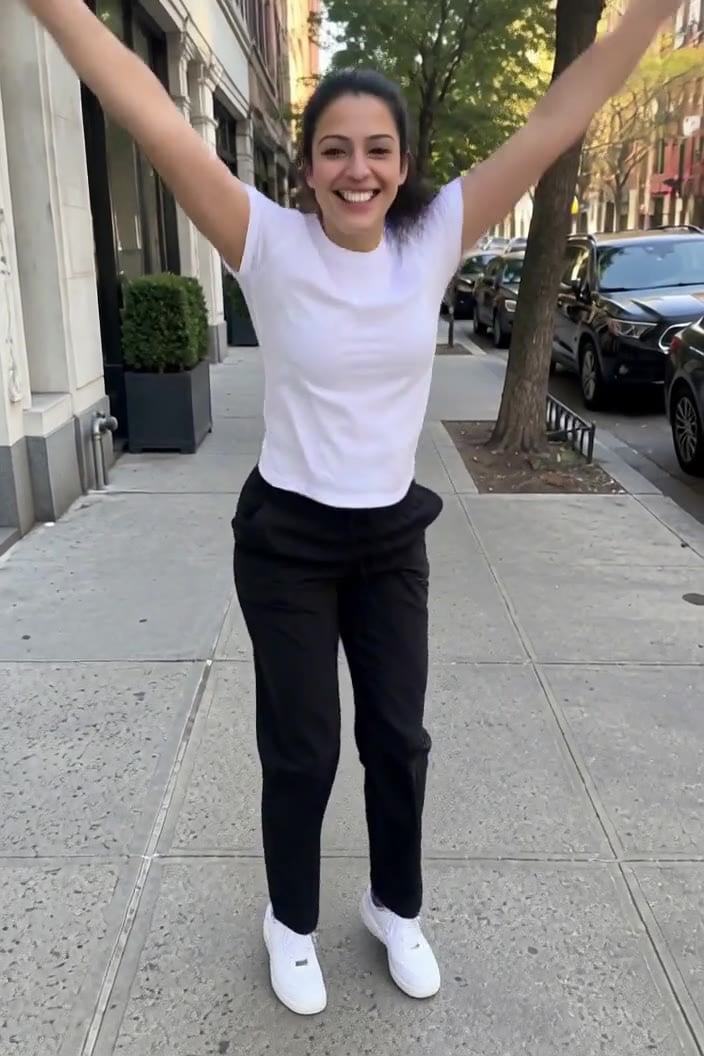
The photo checklist is an FYP FX preparation diagram. The scene image is an external visual reference, not a FYP FX-generated result. Your clip may differ.
Check headroom, shoes and ground
- Include the whole body and both shoes on a flat, visible surface.
- Leave clear space above the head for the top of the rotation.
- Avoid seated poses, group shots and crops at the knees.
Sign in and check your credit balance. View credit plans.
Replay the top of the flip and the landing
- Rotation and landing are generated; check for extra spins, distorted limbs or sliding feet.
- The fixed preset requests a standing backflip without twists or equipment; there is no move selector.
- The output is silent and keeps the source aspect ratio.
For a backflip video on TikTok, slow the landing slightly in your editor or add a single beat drop right as the feet touch down.
Preset details reviewed by FYP FX ·
See full-body backflip framing
Use the framing checklist to leave room for the full flip. The external celebration image illustrates the finish rather than a tested FYP FX result.
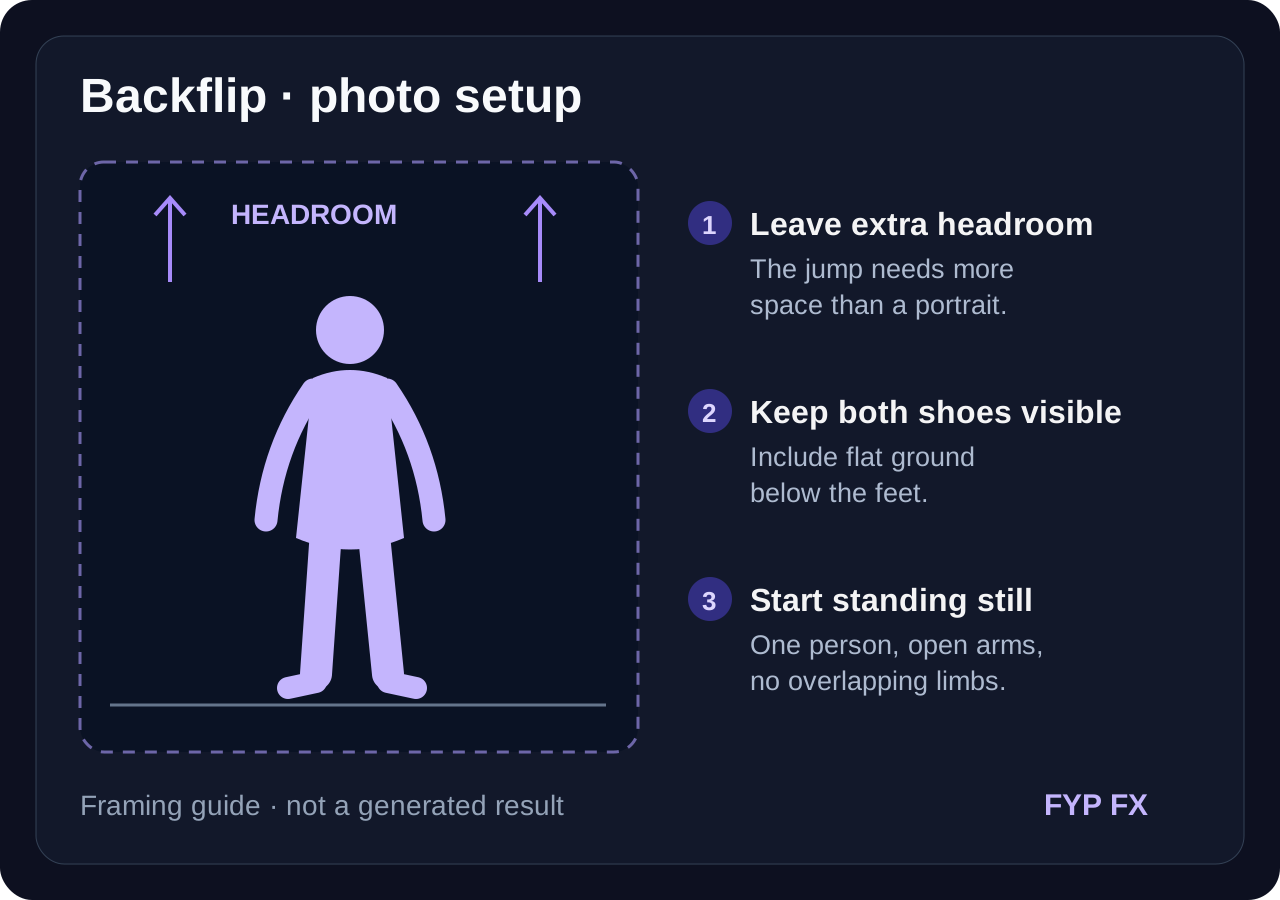
Photo checklist: headroom and flat ground
Keep the whole person and both shoes visible, with generous empty space above the head and a clear landing surface.
FYP FX photo preparation guideLanding celebration framing
A solo person stands on a flat sidewalk with arms thrown up after a landing. Use the full body, visible shoes and open space overhead as a framing reference.
GoEnhance ↗The photo checklist is an FYP FX preparation diagram. The scene image is an external visual reference, not a FYP FX-generated result. Your clip may differ.
Prepare your backflip photo
Give the flip room in the photo, then check the rotation and the landing.
Upload a standing full-body photo
Use one person on flat ground with both shoes visible and room above the head.
Generate the backflip
Confirm the 284-credit cost, then select Generate once. The crouch, flip and landing are preset.
Check the rotation and landing
Replay the top of the flip and the landing, then download and add a sound on the touchdown.
Making a clear Backflip clip
AI can over-rotate or under-rotate the body. Use a clear standing photo with visible ground, both shoes and room overhead, then check that the result contains one backward rotation.
No. You only upload a still photo; the movement is generated. No recording of a real backflip is needed.
A full-body standing photo on flat ground with space overhead. Seated, cropped or group photos make the take-off and landing hard to read.
A silent 5-second, 720p generation costs 284 credits. Check the displayed cost and your balance before generating.
No. The preset requests one standing backflip with a tuck. There is no move selector or editable prompt.
Foot contact is generated and may look unstable. Check the take-off and landing; if you choose another attempt, use a photo with a simple, clearly visible surface and both shoes in view.
Check your generation history and balance before submitting again, and contact support if the status stays unclear.
Plan your backflip clips
View credit plans before creating your backflip videos.
What is the AI Backflip effect?
The AI Backflip effect animates one standing photo into a short athletic move: the person crouches, springs upward, completes a single tucked backflip and lands on both feet before celebrating. The preset aims to retain the face, outfit and location from the photo while completing one clean rotation on flat ground. It is a generated edit, not a training video.
Leave headroom for the top of the flip
A backflip rises above the starting height and lands where it began, so the photo needs headroom and visible ground. A standing full-body shot on a flat surface, with both shoes in frame and nothing overhead, lets the take-off, rotation and landing stay readable.
- Show one standing person from head to shoes on flat, visible ground.
- Leave generous space above the head so the top of the flip stays in frame.
The intended move: crouch, tuck and land
- Rotation, hand position and landing can vary, so review the clip frame by frame.
- The effect does one standing backflip only; it does not add twists, running starts or equipment.
The backflip has three clear phases
The preset asks for one backward rotation followed by an arms-up celebration. AI may miss a phase, so watch the whole sequence.
01Crouch and arm swing
The knees bend and both arms swing back and up to set up the jump.
02One tucked rotation
The person springs straight up, tucks and rotates once backward above the starting spot.
03Landing and celebration
Both feet land with bent knees, the person stands tall and throws both arms up with a smile.
Finish and share your clip
In your editor, place a short still of the original photo before the generated backflip. Add a beat at touchdown and keep the celebration visible at the end.
What makes this an AI Backflip effect?
Is the backflip physically accurate?
It is designed to look like one clean standing backflip, but rotation, arm position and landing are generated and can vary.
Why does the camera stay wide?
The preset asks for a wide, steady camera so the highest point of the jump and both shoes stay visible. The source photo still needs enough headroom and visible ground.
Can it start from a running photo?
The preset is a standing backflip. A running or jumping photo may produce awkward take-offs; a calm standing pose works best.