AI Halloween Costume Transformation: One Photo, One Costume
Upload one photo with a clear face and visible upper torso. The preset asks for one combined grey robe, pumpkin-orange trim and plain witch hat, then a small shoulder turn and smile.
A well-lit face with space around the head and torso reads best for the costume morph.
284 credits per 5-second video
External visual reference, not a FYP FX-generated result. Review the preset description for the requested look and motion.
Check the face, shoulders and headroom
- Show one clear face, both shoulders and some upper torso.
- Leave space above the head for the hat and beside the shoulders for fabric.
- Avoid group photos, face-covering masks and tight face-only crops.
Sign in and check your credit balance. View credit plans.
Watch the face through the morph
- This fixed look has no costume, character or colour selector; generated details may vary.
- Hats, fabric, hands and facial features can change or overlap during the transition.
- The output is silent and keeps the source aspect ratio.
For a costume reveal, trim right as the look settles and add a short whoosh or seasonal sting.
Preset details reviewed by FYP FX ·
See the costume morph framing
Leave room around the shoulders and above the head for fabric and the hat.
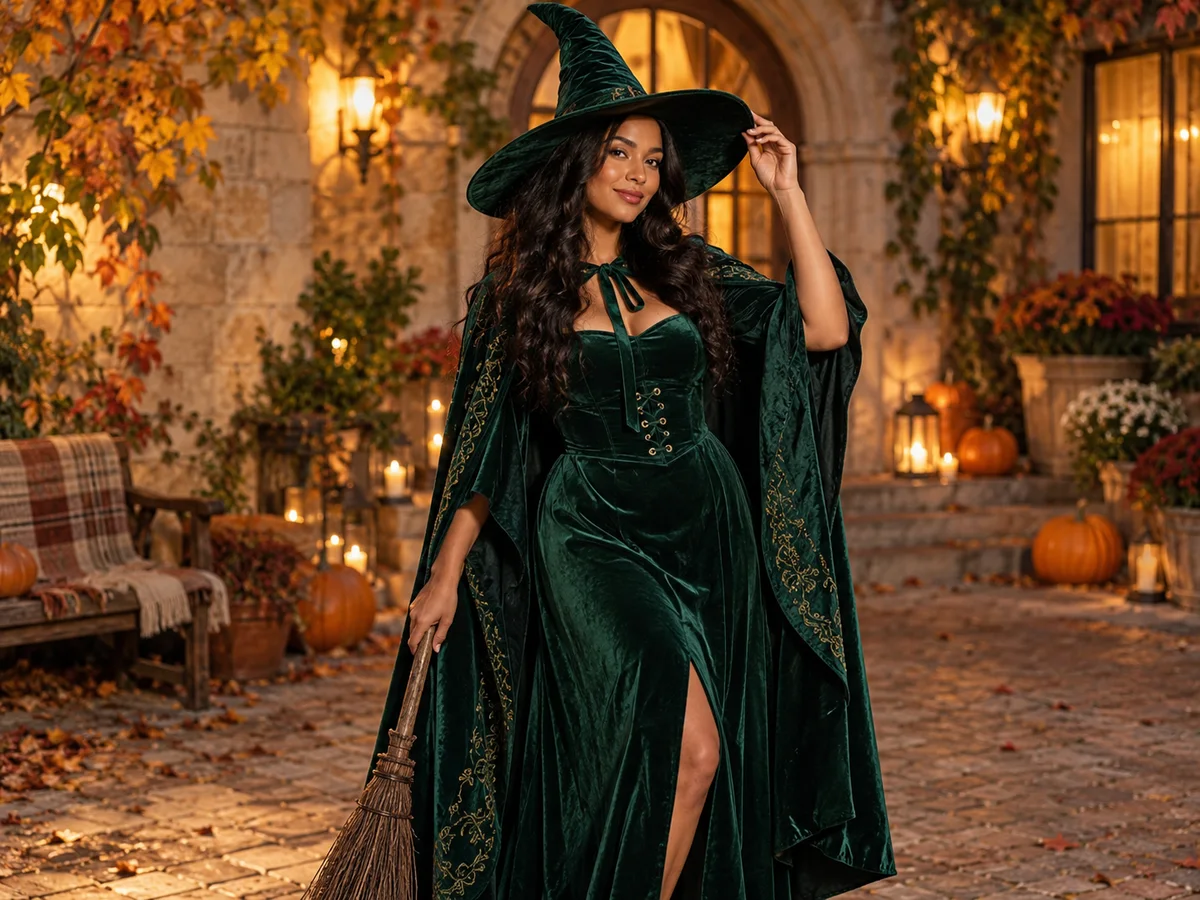
Witch-costume concept reference
A witch hat and draped fabric illustrate the costume theme. This preset requests a pale-grey ghost-like robe with orange trim, so the finished outfit will differ from this external reference.
Cartoonize AI ↗External visual reference, not a FYP FX-generated result. Review the preset description for the requested look and motion.
Prepare a clear costume take
Start with a clear portrait, then check the face through the morph.
Upload a clear portrait
Use one photo of one person with a sharp face and visible shoulders.
Generate the costume morph
Confirm the 284-credit cost, then select Generate once. The costume pieces are preset.
Review the face and outfit
Check that the face stays recognizable and the costume looks playful, then download and add audio.
Making a clear Halloween Costume Transformation clip
No. This preset requests one combined look: a grey ghost-like robe, pumpkin-orange trim and a plain witch hat. It does not offer a costume catalog or character selector.
Not always. The preset asks to keep the face visible and recognizable, but hats, fabric and generated features can drift. Review the whole transformation.
No. There is no editable prompt, costume menu or colour control. This preset generates its Halloween look from the uploaded photo.
A silent 5-second, 720p generation costs 284 credits. Check the displayed cost and your balance before generating.
The output is silent. Add a Halloween track in your editor after downloading.
Keep some space above the head and include the upper torso. A face-only crop leaves little room for a hat, collar or robe.
Check generation history and balance before submitting again, and contact support if the status stays unclear.
Plan your Halloween edits
View credit plans before creating your costume clips.
What is the AI Halloween Costume Transformation effect?
The AI Halloween Costume Transformation effect changes one person's clothes into one combined Halloween outfit: a fully covering pale-grey ghost-like robe, pumpkin-orange trim and a plain witch hat. After a short opening hold, the clothes morph in place and the person makes a small shoulder turn and smile. The face stays uncovered in the intended design; this is one costume reveal rather than a sequence of different outfits.
Give the costume room around face and shoulders
The hat needs space above the head, and the collar and robe need a visible torso. Use one clear person with an unobstructed face and shoulders; avoid a tight face-only crop.
- Use one person with the face, shoulders and torso visible; a wider crop shows more of the robe.
- Leave room above the head for the hat and beside the shoulders for fabric. Avoid a tight face-only crop.
A playful morph into generic Halloween looks
- The single combined outfit is preset; this page does not offer costume selection or several outfit changes in one clip.
- Hat edges, fabric joins and facial details can drift. The transformation aims to keep the person fully covered and the eyes unobstructed.
The costume gag happens in three beats
The fixed preset asks for a continuous Halloween costume reveal. It aims to retain the person’s face, while the generated fabric and accessory details can vary.
01The photo holds as the base
Your face and pose open the clip so viewers recognize you first.
02Costume pieces begin to morph
A grey ghost-like robe, pumpkin-orange trim and a plain witch hat form as one combined costume, rather than three separate outfit changes.
03The look settles for the finale
A small shoulder turn and smile lead into the ending hold. Check the face and fabric edges as the costume settles.
Finish and share your clip
For a longer before-and-after reveal, place a short still of the original photo before the generated clip in your editor. Add a whoosh when the costume appears.
What makes this an AI Halloween Costume Transformation effect?
Can I generate several outfit changes in one clip?
This preset requests one Halloween transformation, rather than a wardrobe slideshow. There is no selector for the number or order of costumes.
How is this different from Halloween Makeup?
Costume Transformation focuses on a robe and accessories around the upper body. Halloween Makeup focuses on decorative colour and glitter patterns on the face.
Why leave space around the head?
Hats and robe collars need room; tight crops can clip the costume.