AI Hug in Heaven Video Generator: A Gentle Remembrance Hug
Upload a photo of yourself or the first person, then one of the loved one. The preset creates an imagined remembrance scene: the two begin close together in golden light, share a gentle hug and ease apart slightly.

These are two identity references, not first and last video frames. Choose a clear face in each photo; old prints may need a careful scan or crop.
284 credits per 5-second video
The photo checklist is an FYP FX preparation diagram. The scene image is an external visual reference, not a FYP FX-generated result. Your clip may differ.
Check both faces and the photo order
- Photo 1 defines the first person; photo 2 defines your loved one. Show one person in each.
- Use a clear face with some shoulders; avoid tight face-only crops, glare and another person in the background.
- Use photos you have permission to use. If you plan to share the clip, consider how the people close to them may feel about it.
Sign in and check your credit balance. View credit plans.
Review both identities and the embrace
- The photos guide the two identities; the setting and embrace are generated. The preset asks to retain the reference outfits, but details may change.
- Faces can shift or blend, and the scene cannot reproduce a real memory.
- The clip is a silent vertical 9:16 video without text or music.
After downloading, you can add a short caption and a gentle song in your editor. Keep both faces visible and identify the scene as AI-generated when sharing.
Preset details reviewed by FYP FX ·
See the soft light and embrace framing
Check the two upload roles, then view an external imagined-embrace reference. The reference illustrates the idea rather than a tested FYP FX result.
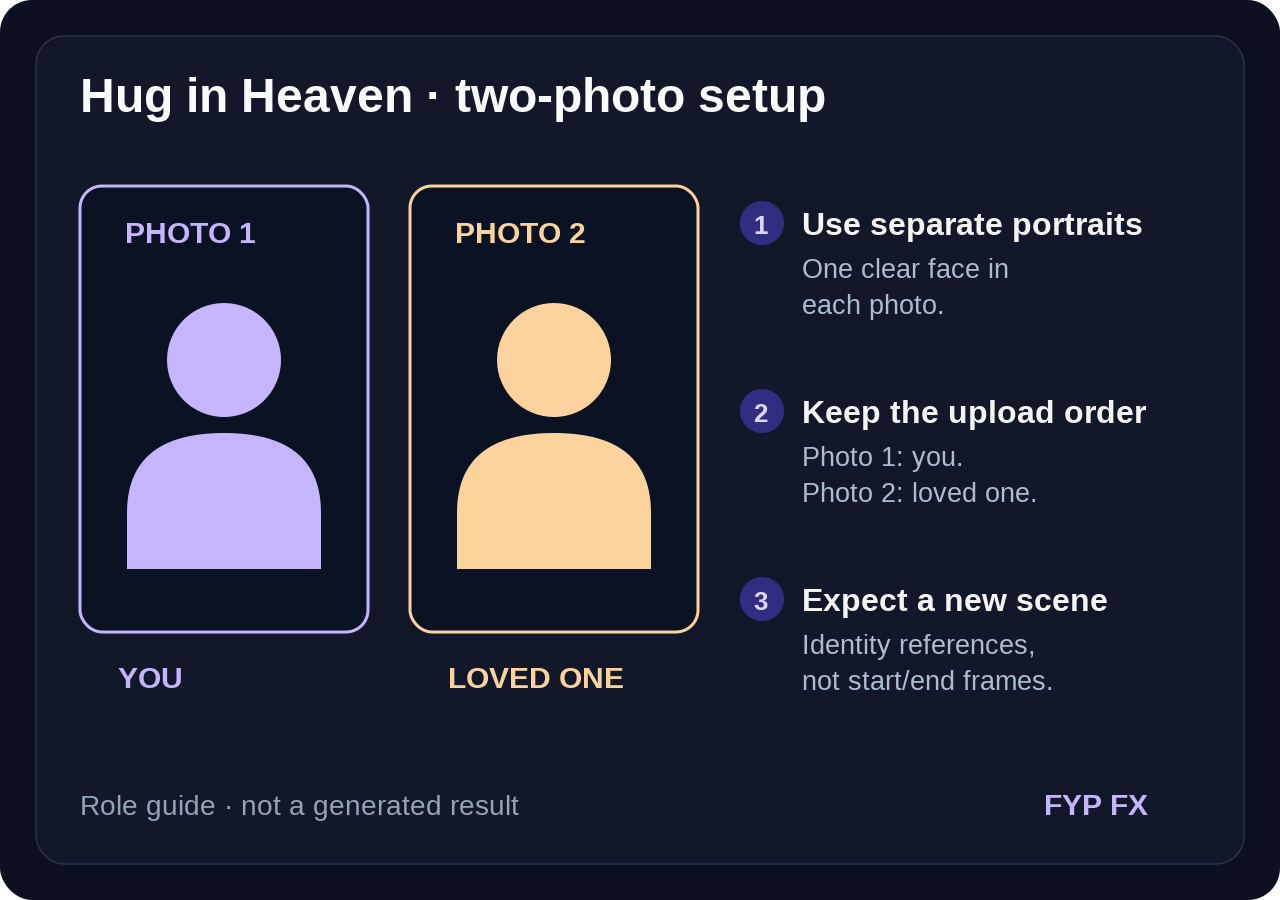
Photo checklist: upload roles in order
Use one clear face per image. Upload yourself as Photo 1 and your loved one as Photo 2; these are identity references rather than the first and last frames.
FYP FX photo preparation guideWarm light, clouds and a gentle embrace
Two people share a close hug in soft golden light with clouds and drifting orange petals. The source describes its sample people as AI-generated. Use it as a lighting and framing reference only.
Remake Your Meme ↗The photo checklist is an FYP FX preparation diagram. The scene image is an external visual reference, not a FYP FX-generated result. Your clip may differ.
Prepare a respectful remembrance clip
Choose two clear photos, generate once, then watch the result privately before deciding what to do with it.
Choose two photos with care
Photo 1 defines the first person; photo 2 defines the loved one. Use one clear face with some shoulders in each.
Generate the remembrance scene
Confirm the 284-credit cost, then select Generate once. The setting and hug are preset.
Watch it privately first
Review both faces and the embrace before deciding whether to keep or share the clip.
Making a clear Hug in Heaven clip
It is an AI-imagined scene based on two photos, rather than a recording or a recreation of a real memory. Facial details and movements may differ from the people you remember.
You can use a clear old or black-and-white photo. Scan or photograph the print flat in even light without glare. The preset asks for natural colour, but any restored colour and detail are generated.
Upload two files, with one person clearly visible in each. You can crop each person from the same group photo if both faces retain enough detail. Leave some shoulders visible and exclude the other face.
A silent 5-second, 720p vertical generation costs 284 credits. Check the displayed cost and your balance before generating.
AI can change facial details, blend the references or swap features. Compare each face with its source photo at the beginning and end, and check both people during the embrace.
The clip is silent and has no text. You can add a song or a short caption in your editing app after downloading.
Check your generation history and balance before submitting again, and contact support if the status stays unclear.
Plan your remembrance clips
View credit plans before creating a hug in heaven video.
What is the AI Hug in Heaven effect?
The AI Hug in Heaven effect creates a short, imagined remembrance scene from two photos: photo 1 is you and photo 2 is someone you miss, often a family member who has passed away. FYP FX generates a new vertical 9:16 scene in which the two of you share a gentle hug in warm golden light. It is an AI imagining, not a real memory, a recording or a way to contact anyone.
Two photos, two roles, two clear faces
Use photo 1 for the first person and photo 2 for the loved one. Each file should show a single, clearly visible face with some shoulders. A clear scan of an old print can work; generated colour and missing details may differ from the original.
- Upload two separate photos with one clearly visible face in each: you first, then your loved one.
- Old or black-and-white photos can work if the face is sharp; crop so the face is large.
Soft golden light and a gentle embrace
- AI can change faces or blend features; it cannot reproduce how a person really moved or held you.
- The scene is a generic soft-light setting without religious imagery, and the clip is silent.
The remembrance scene unfolds in three quiet moments
The preset keeps the two people close from the start, leaving time for the embrace and a small smile at the end of the five-second clip.
01Two people meet in warm light
The first person and the loved one begin within arm’s reach among pale clouds, warm light and drifting marigold petals.
02They lean into the embrace
The two move a little closer and hold a gentle hug, with natural arms resting around each other’s backs.
03A small smile at the end
They ease apart slightly so both faces are visible again, sharing a quiet smile.
Finish and share your clip
For a remembrance clip on an anniversary or another personal occasion, preview it privately before deciding whether to share it. You can add music and a short caption in your editor and identify the scene as AI-generated.
What makes this an AI Hug in Heaven effect?
What does “hug in heaven” mean here?
Here it means an imagined reunion in soft golden light and clouds. The preset does not request religious figures or symbols and makes no claims about the afterlife.
Why two photos instead of one?
The two upload slots assign a distinct reference to each person. The images guide identity rather than acting as the opening and closing frames, although facial features can still blend or change.
Is it suitable for a memorial or funeral?
Some families use clips like this privately to remember someone. Because it is AI-imagined, check with close family before showing it at a gathering or sharing it widely.