AI Tornado Video Generator: Get Swept Up From One Photo
Upload one full-body photo for a playful tornado clip. The preset asks for a darkening sky, a soft funnel, a surprised reaction and a gentle lift out of frame.
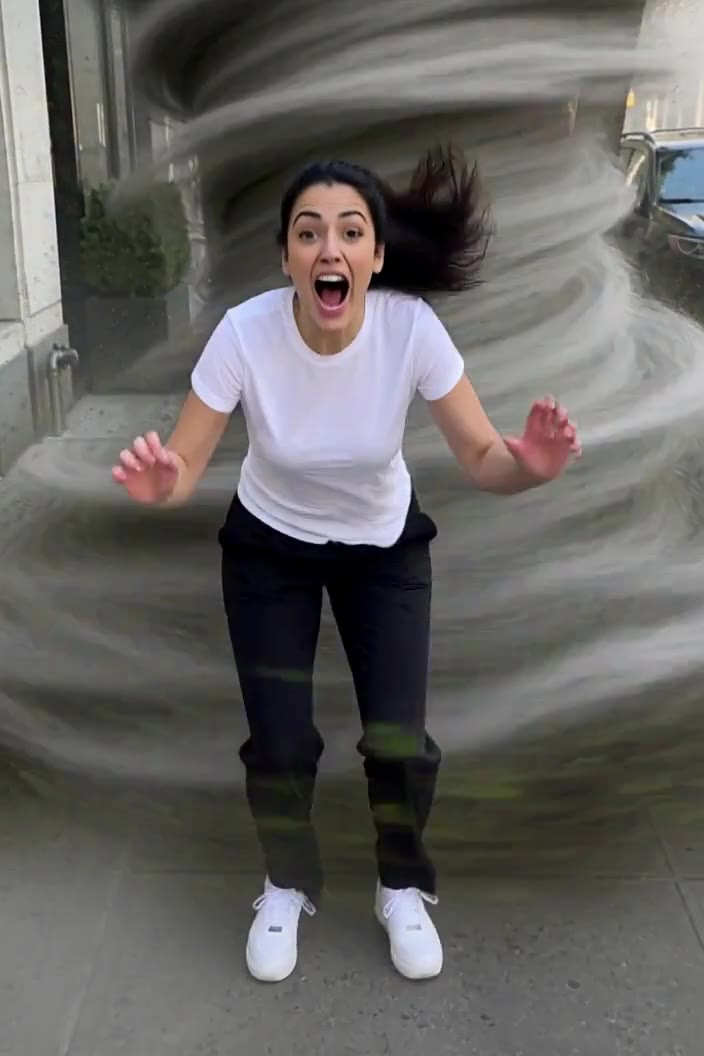
Choose an outdoor photo with visible sky, both shoes and space above the head. This gives the funnel and upward lift room in the frame.
284 credits per 5-second video
The photo checklist is an FYP FX preparation diagram. The scene image is an external visual reference, not a FYP FX-generated result. Your clip may differ.
Check the body, sky and arm space
- Include the head, arms, legs and both shoes in one standing pose.
- Prefer an outdoor photo with some sky above the person.
- Avoid group photos and tight crops at the waist.
Sign in and check your credit balance. View credit plans.
Watch the face before the upward exit
- Funnel shape, wind direction and lift height are generated and can vary.
- Faces, hands and background details may change during the lift; review the whole clip.
- The output is silent and keeps the source aspect ratio.
For a tornado video on TikTok, trim the end right as the person leaves the frame and add a whoosh; a clean cut keeps the gag punchy.
Preset details reviewed by FYP FX ·
See the swirl and full-body framing
Check the photo setup before generating, then compare it with the external wind-swirl reference. The reference illustrates the idea rather than a tested FYP FX result.
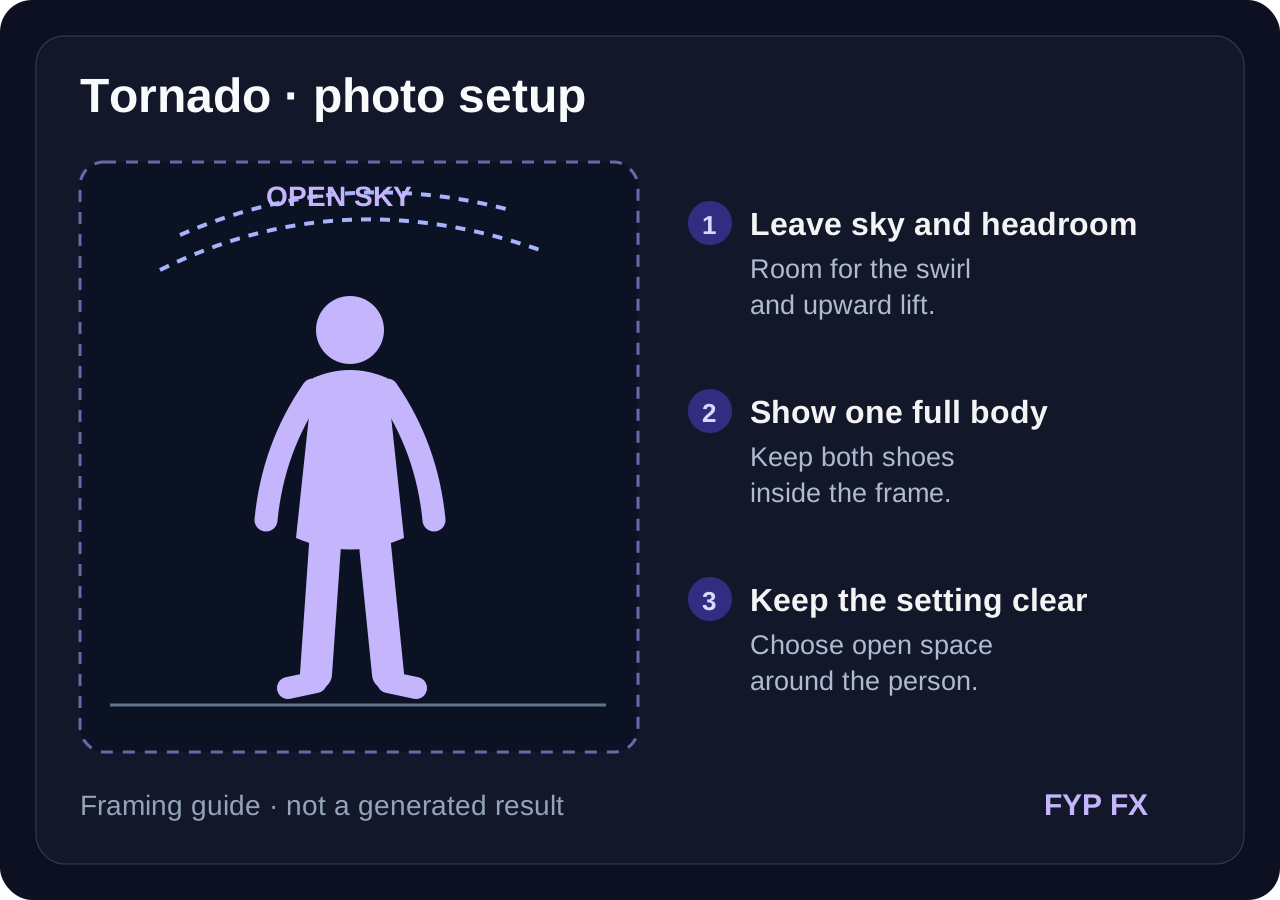
Photo checklist: leave room for the lift
Show one standing person, both shoes, open space and some sky. The diagram illustrates framing space, not the path of a tested generation.
FYP FX photo preparation guideFull-body framing inside the swirl
A solo person stands on a sidewalk with both arms out while a soft grey funnel of wind circles behind them. Use the visible sky, shoes and arm space as a framing reference.
GoEnhance ↗The photo checklist is an FYP FX preparation diagram. The scene image is an external visual reference, not a FYP FX-generated result. Your clip may differ.
Prepare a clear tornado take
Start with an open, full-body photo, then check the reaction and the upward exit.
Upload a standing photo with sky
Use one full-body photo of one person, ideally outdoors, with room above the head.
Generate the tornado moment
Confirm the 284-credit cost, then select Generate once. The wind, swirl and lift are preset.
Review the reaction and lift
Check the face, body and upward exit, then download. Add wind sound in your editor if you want audio.
Making a clear Tornado clip
The generated funnel can overlap the subject. A photo with open space beside the body and an evenly lit face gives it more room. Review the whole lift before keeping a result.
The preset asks for an intact background with only light leaves and dust drifting. AI may still alter details, so check buildings, trees and the ground in the finished clip.
You can, but the darkened sky and funnel are designed around open space. An outdoor full-body photo usually gives a more believable result.
A silent 5-second, 720p generation costs 284 credits. Check the displayed cost and your balance before generating.
The preset is designed for one person. For a group edit, create separate clips and combine them, keeping in mind each generation uses credits.
The output is silent. Download the clip, then add a wind or storm sound in TikTok or your editing app.
Check your generation history and balance before submitting again, and contact support if the status stays unclear.
Plan your tornado edits
View credit plans before creating your tornado clips.
What is the AI Tornado effect?
The AI Tornado effect turns one standing photo into a short storm-movie gag: the sky darkens, a soft grey funnel of wind forms behind the person, and they react with a small quarter-turn before the swirl lifts them up and out of the frame. The preset aims to retain the original setting without storm damage. It is a fantastical edit, not real weather footage.
Give the swirl sky and space to build
The tornado forms behind the person and then lifts them upward, so the photo needs open space around the body and above the head. A standing outdoor shot with a visible sky and both shoes in view gives the funnel and the lift room to read.
- Use one standing person shown head to toe, ideally outdoors with some sky above them.
- Leave space around the arms and above the head so the swirl and the lift have room.
Darkening sky, a soft grey funnel and a lift
- The swirl, wind and lift are generated, and faces, hands or clothing can shift during the quarter-turn and lift.
- The preset avoids debris impacts, damaged buildings and injury; review the generated scene before sharing it.
The tornado gag happens in three beats
The preset is built around three storm-movie beats. Their timing and appearance can vary in the generated clip.
01The sky darkens and the funnel forms
Slate-grey clouds gather and a soft, stylized funnel begins to swirl behind the person with a few leaves and dust.
02Wind and a big surprised reaction
The preset asks for wind in the hair and clothing, a surprised expression and raised arms as the person begins to rise.
03A gentle lift up and out of frame
The swirl lifts the person with a small quarter-turn, keeping the face visible before a smooth upward exit through the top of the frame.
Finish and share your clip
For a calmer setup before the tornado, add a one-second still of the original photo in your editor. Follow it with the generated clip and time a wind sound to the lift.
What makes this an AI Tornado effect?
Is this a real tornado effect or a filter?
It is a generated video edit. The funnel, wind and lift are created by AI from one photo; it is not weather footage or a camera filter.
Why does the scene avoid flying debris?
The preset requests a lighthearted movie gag with drifting leaves and dust rather than flying debris or damaged buildings. Check the finished scene for unintended changes.
Why is a full-body photo recommended?
The lift starts at the feet. A cropped photo hides the moment the person leaves the ground, which is the payoff of the clip.