Baby Mustache Video Generator: Transform Your Selfie
Upload one adult selfie with a relaxed mouth and visible upper lip. Check the photo preview and 284-credit quote, then generate a five-second baby-face reaction with a thick mustache.
Choose a relaxed, front-facing adult selfie in even light. Keep both eyes and the upper lip visible; the effect transforms the adult face into a fictional baby-face meme.
284 credits per 5-second video
External reference images from GoEnhance, not FYP FX-generated results or a verified before-and-after pair. The input for this preset is an adult selfie; scene details can differ.
Check the face before uploading
- Use exactly one adult looking toward the camera; keep the whole face in frame.
- Choose even light with visible eyes and upper lip. Move hair and hands away from the mouth.
- Use a portrait source if you want a vertical clip. The output follows the uploaded photo’s aspect ratio.
- Upload an adult selfie rather than a real infant photo or group portrait.
Sign in and check your credit balance. View credit plans.
Watch for a clear mustache throughout the transition
- Baby proportions are generated. Eye shape, facial likeness, hair and background details can change as the face transforms.
- The mustache can become uneven or merge with the mouth. Review its position during the blink and at the ending before sharing.
- The silent 5-second video is 720p and follows your photo’s aspect ratio. There is no mustache menu, age slider, included sound or guaranteed seamless loop.
Download the completed video, then add your sound and caption in an editor. Time the punchline to the blink and keep text off the upper lip so the mustache stays readable.
Preset details reviewed by FYP FX ·
The baby-face joke and a clear adult selfie
Compare the mustachioed-baby concept with the front-facing adult-photo framing used to start this preset.
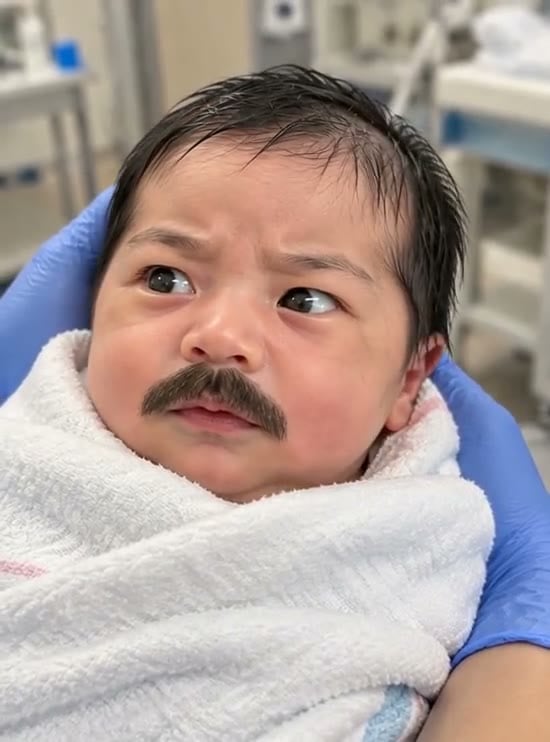
Mustachioed-baby visual reference
A rounded baby-like face with a thick mustache illustrates the visual joke. This external example does not demonstrate this preset’s output or promise the same setting.
GoEnhance ↗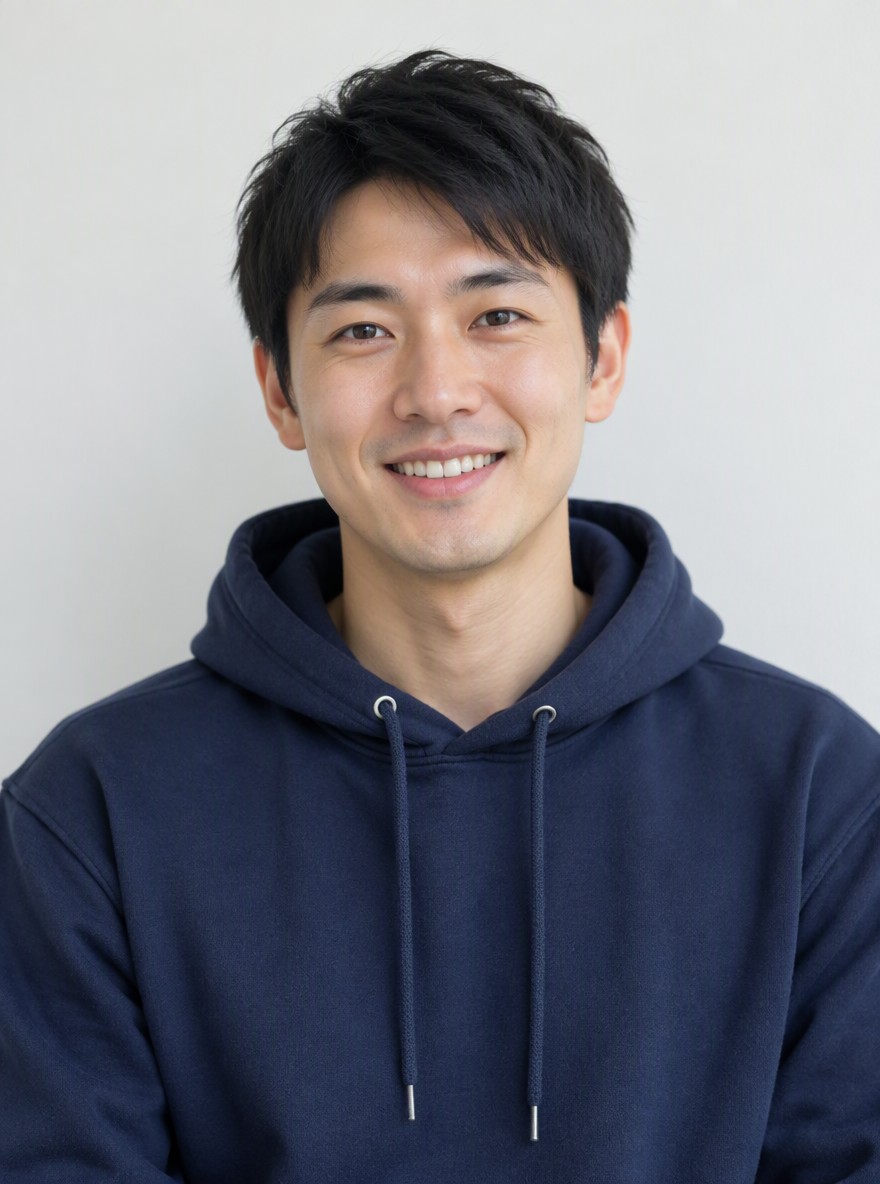
Adult selfie framing reference
An unobstructed adult portrait shows both eyes, the hair and the entire upper lip. Use your own adult selfie with similarly clear facial detail.
GoEnhance ↗External reference images from GoEnhance, not FYP FX-generated results or a verified before-and-after pair. The input for this preset is an adult selfie; scene details can differ.
Upload once, then inspect the transformation
A clear upper lip is the main input check. In the result, check the eyes, mouth and mustache during the change as well as in the final frame.
Choose an adult selfie with a clear upper lip
Face the camera in even light. Show both eyes, the whole face and the upper lip without hands or hair covering them.
Upload, check the quote and generate
Wait for the photo preview, confirm the displayed 284-credit quote and select Generate once.
Check the face and mustache in motion
Watch all five seconds for clear eyes, a continuous mustache and a gentle blink. Download the silent video to add your own sound.
Baby Mustache generator questions
Yes. Your adult selfie is used as the opening frame. The preset asks for baby-like facial proportions, a thick mustache matching the source hair color, and subtle blinking and mustache motion. Facial likeness and the timing of the transition can vary.
Upload exactly one adult facing the camera, with both eyes and the upper lip visible. This preset transforms an adult selfie; it is not designed for real infant photos or groups.
No. The full video is silent, including the blink and mustache flutter. Add music or a comic sound in your editor after downloading.
A silent 5-second, 720p generation costs 284 credits. Each new generation is another paid attempt, including retries for a different result. Check the displayed quote and your balance before generating.
There is no mustache selector, age slider or editable prompt. The preset requests a thick adult-style mustache and rounded newborn-like proportions. Each generation can interpret those details differently.
A side angle, hair over the mouth, deep shadows or a wide-open smile can make the lip area harder to interpret. Before another paid attempt, choose a sharp, front-facing selfie with a relaxed mouth. Watch the whole clip for shifting mustache edges and changes around the eyes.
Check My videos and your balance before submitting again. Contact support if the status remains unclear; starting another generation can incur another 284-credit charge.
Check plans for another meme edit
Compare credit plans before starting additional paid generations.
What is the Baby Mustache effect?
Baby Mustache is an AI photo-to-video effect that transforms one adult selfie into a fictional baby-face meme with a thick adult-style mustache. Starting from the uploaded photo, the preset asks for rounded newborn-like facial proportions, source skin tone, eye color and hair color, followed by a tiny blink and mustache flutter. The output is a silent 5-second, 720p clip that follows the source aspect ratio and costs 284 credits at the current quote. Appearance and motion can vary.
Why the upper lip matters
The joke depends on a thick mustache sitting clearly above a tiny mouth. Start with one adult selfie taken straight on, in even light, with both eyes and the upper lip visible. A relaxed mouth gives the transformation a clearer starting point than a wide-open smile.
- Use exactly one adult facing the camera, with both eyes, the mouth and upper lip visible in even light.
- Choose a relaxed mouth and keep hair or hands away from the lip. Avoid side profiles, heavy face filters and deep shadows across the mouth.
Adult selfie to baby-face reaction
- Facial likeness, baby proportions, mustache edges and background details are generated and can change. The preset requests subtle handheld-style motion; exact timing and a seamless loop are not guaranteed.
- The look uses fixed newborn-like proportions and one thick mustache. There is no style selector, age slider or included sound. Upload an adult selfie; this preset is not designed for real infant photos or groups.
How the transformation is intended to unfold
The preset starts from your selfie, changes the facial proportions and adds an exaggerated mustache before settling into a small expression. These are the requested scene beats; the exact likeness, timing and motion can vary.
01Round the face and add the mustache
In the opening second, the preset aims to soften the adult face into chubby newborn-like proportions, retain the source skin tone, eye color and hair color, and place a thick mustache above the lip.
02Give the meme a tiny reaction
Around seconds 1–3, a small blink, slight frown and faint mustache flutter add expression under soft nursery-style light. These are visual movements; the clip has no audio.
03Settle on the punchline
The final moments aim to hold a slightly amused baby face with a readable mustache. Gentle handheld-style movement may remain rather than a perfectly locked frame.
Finish and share your clip
Let the adult-to-baby change be the reveal. Add a short caption away from the eyes and mustache, then place any comic sound at the blink in your editor. A held ending can work as a reaction, but a seamless loop is not guaranteed.
About the Baby Mustache effect
What is the Baby Mustache effect?
It is an AI photo-to-video transformation that turns an adult selfie into a fictional baby-face meme with a thick adult-style mustache. The humor comes from the contrast between rounded baby proportions and exaggerated facial hair.
Is “baby born with a mustache” a different effect?
That phrase describes the same visual joke here. FYP FX creates it from an adult selfie; it is not a recording of a real newborn or a live camera filter.
Will it preserve my exact appearance?
The preset asks to retain source traits such as skin tone, eye color and hair color while changing facial proportions. Exact identity, facial hair edges and background details are not guaranteed.
How is this different from Don’t Wake My Baby?
Don’t Wake My Baby starts with a car photo and creates a sleepy car gag. Baby Mustache starts with an adult selfie and centers the joke on a transformed face and thick mustache.