Don’t Wake My Baby Generator: Sleeping Car Video
Make the car the sleepy character. Check its identity, headlight stir and roof pat before judging the bedroom decoration.
Upload one complete passenger car from the front or three-quarter angle, showing both headlights and the roofline. Do not upload a baby or person portrait; the large hand and bedtime scene are generated.
568 credits per 5-second video
External visual references, not FYP FX-generated results. They illustrate the setting or style; the generated 5-second clip may differ.
Upload a car, with both headlights visible
- Choose one complete passenger car from the front or three-quarter angle, with the roof and both headlights clear.
- Use a sharp parked-car photograph with readable paint color and body shape, rather than motion blur or a dark garage crop.
- Leave room around the vehicle for the bed and duvet. No baby, person or hand photograph is needed.
Sign in and check your credit balance. View credit plans.
Keep the car identifiable above the duvet
- Bedding can hide or alter the body shape, and the hand can distort. Inspect the roof contact and headlight arrangement through the whole clip.
- This preset is built for passenger cars. It creates small sleepy movements, not driving action, engine sound or a baby video.
Preview your TikTok car-in-bed edit with sound off. The headlights, tiny stir and roof pat should explain the joke before you add a lullaby or other audio.
Preset details reviewed by FYP FX ·
Compare the car angle and oversized bedding
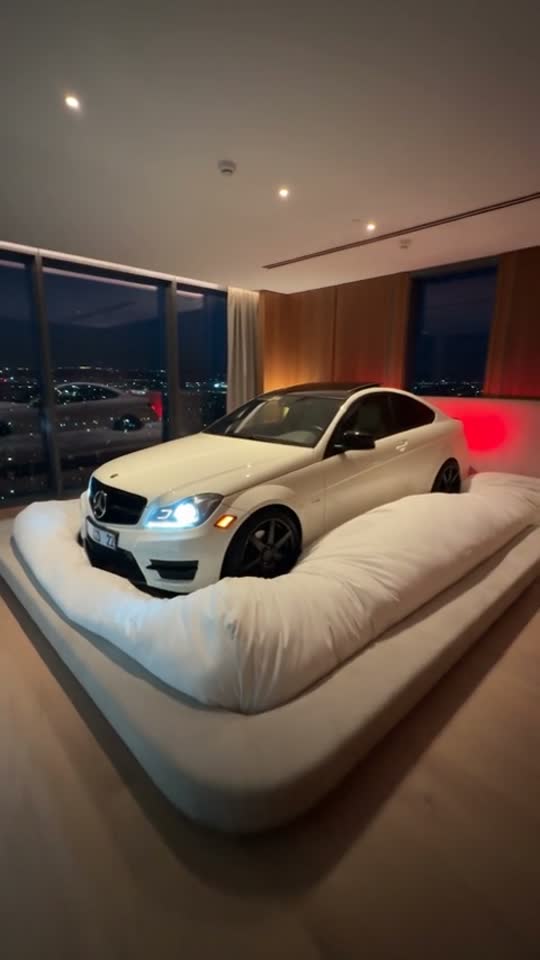
The bedroom image illustrates the exaggerated scale of the sleeping-car idea. The outdoor car image illustrates a complete front three-quarter input angle, without showing a generated bedtime result.
Sleeping-car scene reference
A white coupe rests on an oversized soft bed in a warmly lit bedroom with city windows.
Talkpix ↗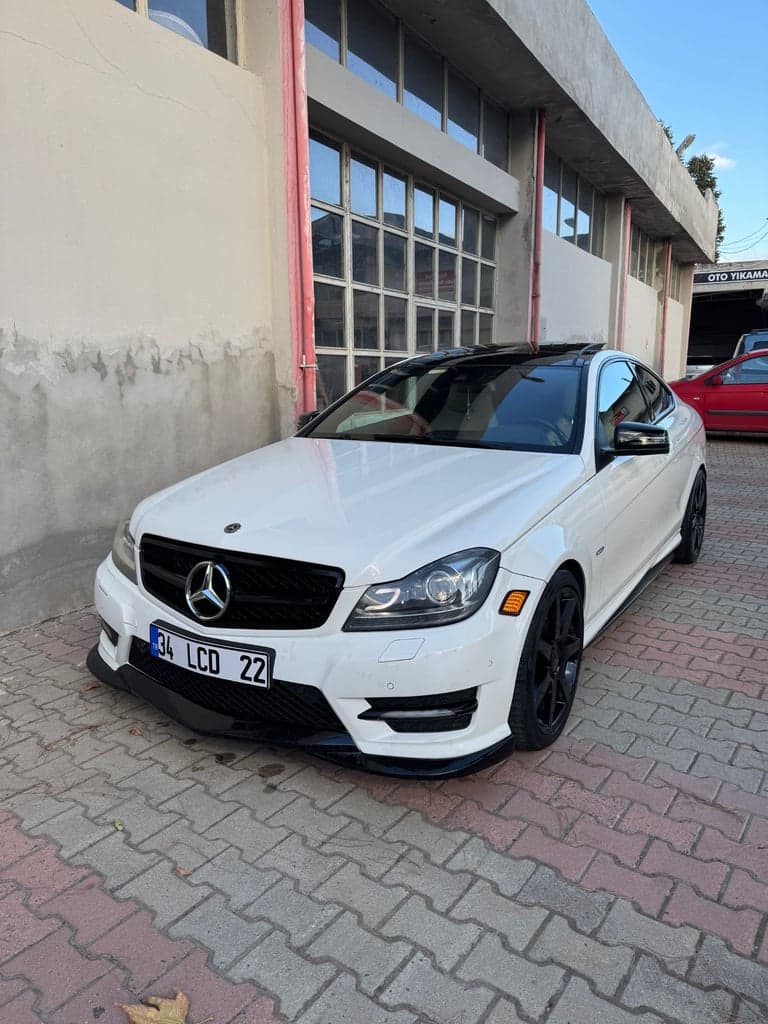
Car input-photo reference
A white coupe is photographed outdoors from the front three-quarter angle. This is an input-photo reference, not a generated result.
Talkpix ↗External visual references, not FYP FX-generated results. They illustrate the setting or style; the generated 5-second clip may differ.
Make and inspect the sleeping-car scene
Keep the vehicle’s headlights and roof clear from input selection through the final crop.
Upload the complete car
Choose one parked passenger-car JPG or PNG with both headlights, the roof and the full outline visible.
Generate the oversized bed scene
Check the source-photo canvas and 568-credit cost, then create one silent 5-second sleepy-car clip.
Check the stir, pat and settle
Compare the vehicle shape with your source, inspect duvet contact and the roof pat, then download when the car settles clearly.
Don't Wake My Baby FAQ
Choose the complete car as the clear subject. The preset is a sleeping-car comedy scene, not a portrait or baby effect. The soothing hand is generated, so a person beside the vehicle is unnecessary.
Their brief brightening and dimming supplies the sleepy expression. A front or three-quarter photo shows both headlights along with the roof for the pat. A side-only view can make these bedtime cues harder to read.
Keep a take where the roof, headlights and enough body shape remain recognizable. Try a source with more margin around the complete car if the composition feels cramped; the exact bedding is generated and can vary.
One generation uses 568 credits for a silent 5-second, 720p clip in the source photo’s aspect ratio. Check the full car preview before spending credits on another angle or take.
No. The generated file is silent, with no lullaby, engine sound or original meme audio. Add sound separately after download, and leave the headlights and roof pat visible under any captions.
Look for extra fingers, a hand passing through the roof, or a pat that deforms the car. The gesture should be gentle and the vehicle should settle afterward. Also compare the paint, roofline and headlight arrangement with your source.
A detail crop does not show the complete sleepy character, and other vehicle shapes may not fit the passenger-car preset. Use a sharp complete car photo. Processing may take several minutes; check history if the task status is unclear.
Check credits for a car-bedtime take
Review plans before trying a clearer vehicle angle or a roomier source crop.