AI Neon Glow Dance Generator: Photo to Studio Dance
Upload one standing person for a short, full-body neon phrase. The movement stays compact: a sway and arm lift, one low kick and a grounded finish.
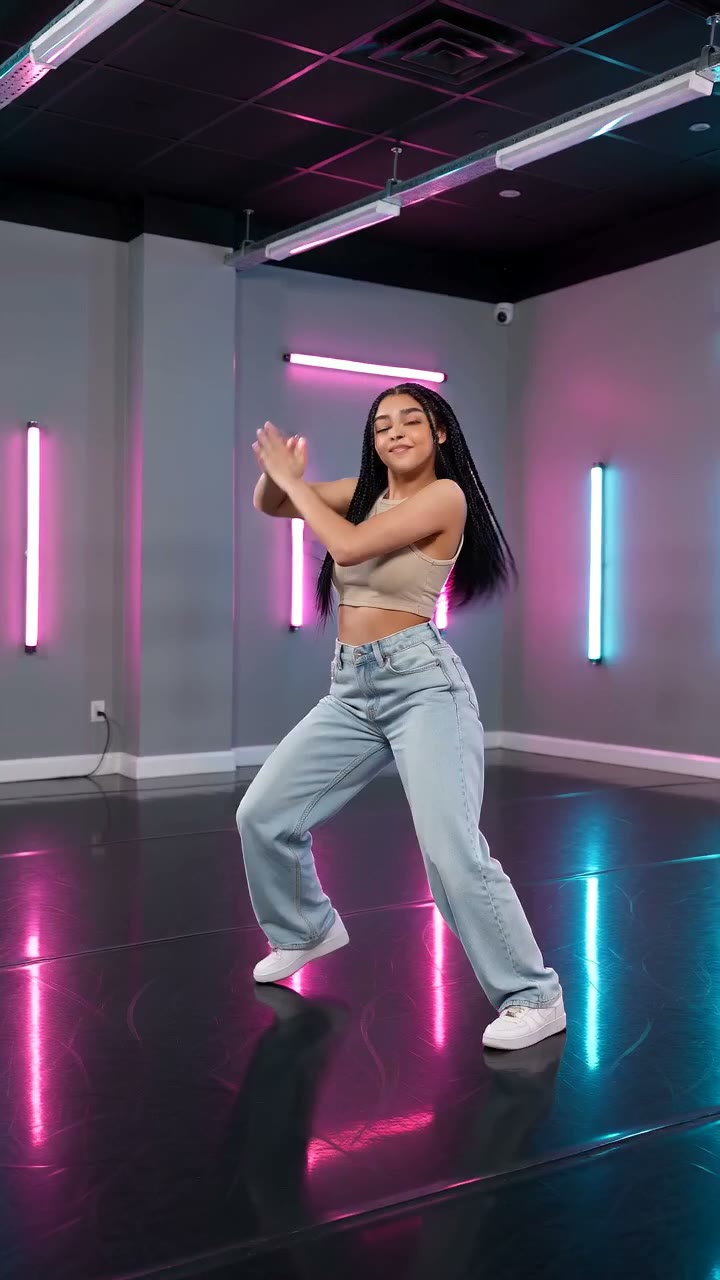
Keep both shoes and room around the arms in frame. The low kick needs a clear supporting leg; a tight portrait crop cannot show the whole phrase.
568 credits per 5-second video
External reference images, not FYP FX-generated results. Your 5-second clip may differ.
Fit the supporting foot and moving foot
- Include the head, hands, legs and both shoes with visible floor.
- Keep arms and legs separated rather than crossed or hidden behind clothing.
- Leave room beside the arms and in front of the feet; a close fashion crop can cut off the phrase.
Sign in and check your credit balance. View credit plans.
Follow the kick through its landing
- The phrase is brief and preset; there is no motion-reference upload or full-routine control.
- The supporting foot, low kick and hands can vary, so review the complete movement.
- The source ratio is retained, and the silent output has no song or automatic beat sync.
For a neon dance video on TikTok, check the final frame after adding your chosen sound. A beat on the landing can support the finish without suggesting exact song choreography.
Preset details reviewed by FYP FX ·
Explore neon lighting and dance framing
These external references show neon color, full-body framing and dance poses. They illustrate the visual direction rather than the exact preset choreography.
Full-body neon framing
A solo dancer in a beige top, blue jeans and white trainers poses with raised arms under pink and cyan light tubes. Use the space around the body and visible shoes as framing references.
RapVideo AI ↗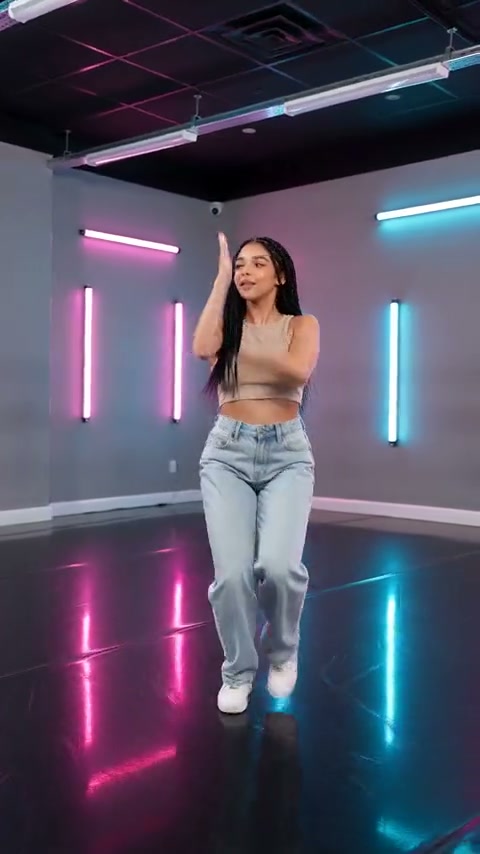
Movement reference from an external video
A still at 2.2 seconds of the source video shows one arm and one foot raised in a neon studio. It is a motion-composition reference, not a frame from this preset or a promise of exact choreography.
RapVideo AI ↗External reference images, not FYP FX-generated results. Your 5-second clip may differ.
Prepare a compact full-body dance
Give the short phrase space in the upload, then judge whether the person lands in balance.
Upload a pose with limb space
Use one standing full-body photo, both shoes visible, with room for the diagonal arm lift and low kick.
Generate the short neon phrase
Confirm the source crop and 568-credit cost, then select Generate once. The studio lighting and motion are preset.
Watch the supporting leg and landing
Review the arm lift, planted foot and low kick through the final stance. Download before adding music in your editor.
Making a clear neon dance take
Floor contact is a generated detail and may vary. Replay the low kick and landing; a standing reference with both shoes on a simple, visible floor gives a clearer basis for another take.
No. This studio uses one still photo and a fixed short phrase. It does not accept a motion reference or provide a routine selector.
Prepare a vertical source photo if you want a taller output, while retaining the head, hands and both shoes. The output follows the source aspect ratio; a tighter crop may hide the kick.
A silent 5-second, 720p generation costs 568 credits. Check the displayed cost and balance before starting; each additional generation is another attempt.
The preset is designed for a solo dancer. For a side-by-side edit, create separate clips and assemble them afterward, accounting for the cost of each generation.
The tool generates silent motion without listening to a song. Choose a beat that fits the received kick or final stance and adjust the soundtrack in your editing app.
Review generation history and your balance before submitting again. Contact support if the status remains unresolved instead of starting repeated new dance tasks.
Plan your solo neon dance
View credit plans before creating the short arm-lift and low-kick phrase.