AI Ozil Goal Generator: Chip, Pause and Finish
Make your subject the lead in a short football finish. Review the ball’s whole path rather than judging the stadium or a single goal frame.
Show both shoes, separated legs and open floor near the feet. The person keeps their own identity and outfit as a short stadium finish is generated; no footballer photograph or ball image is needed.
568 credits per 5-second video
External visual references, not FYP FX-generated results. They illustrate the setting or style; the generated 5-second clip may differ.
Give the ball a visible pair of feet
- Use a standing full-body photo with both shoes, separated legs and a sharp face.
- Leave floor space below and beside the feet; a close crop removes room for the ball contact.
- Keep the person separate from other people and large objects. A ball, kit or real pitch is not needed.
Sign in and check your credit balance. View credit plans.
Check one ball through all three beats
- Ball contact and goalkeeper or defender positions can vary. Watch for a duplicated ball, a teleporting finish or an obscured foot.
- Five seconds covers a compact near-goal sequence, not a long dribble, full match replay or exact professional performance.
A TikTok AI football edit needs the chip and final touch in the same readable crop. Keep text above the feet and retain the pause that connects the two actions.
Preset details reviewed by FYP FX ·
Read the ball, keeper and nearby goal
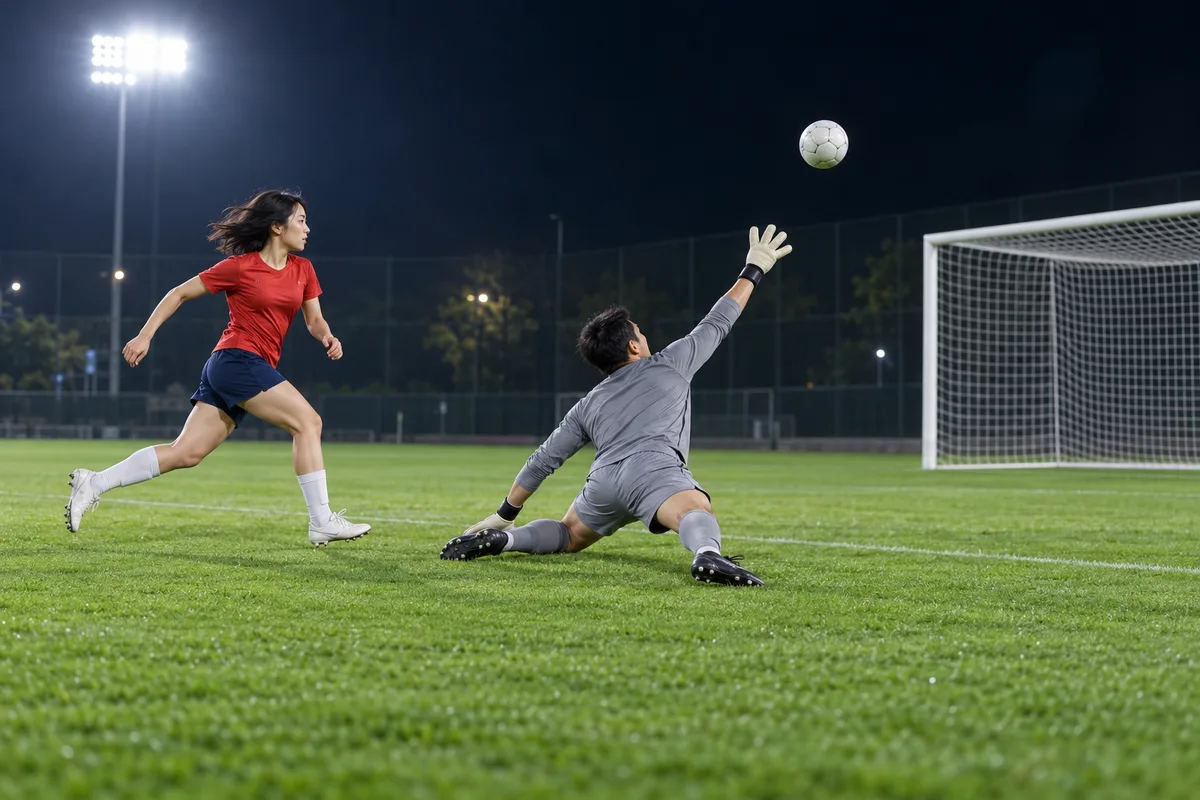
These external football images show the chip above the keeper and the finish with defenders behind. Use them to understand the action’s spacing; the tool creates a shorter interpretation with your person.
Chip-over-the-keeper reference
A red-shirted football player watches a chipped ball pass above the reaching goalkeeper on a floodlit pitch.
AI Effects ↗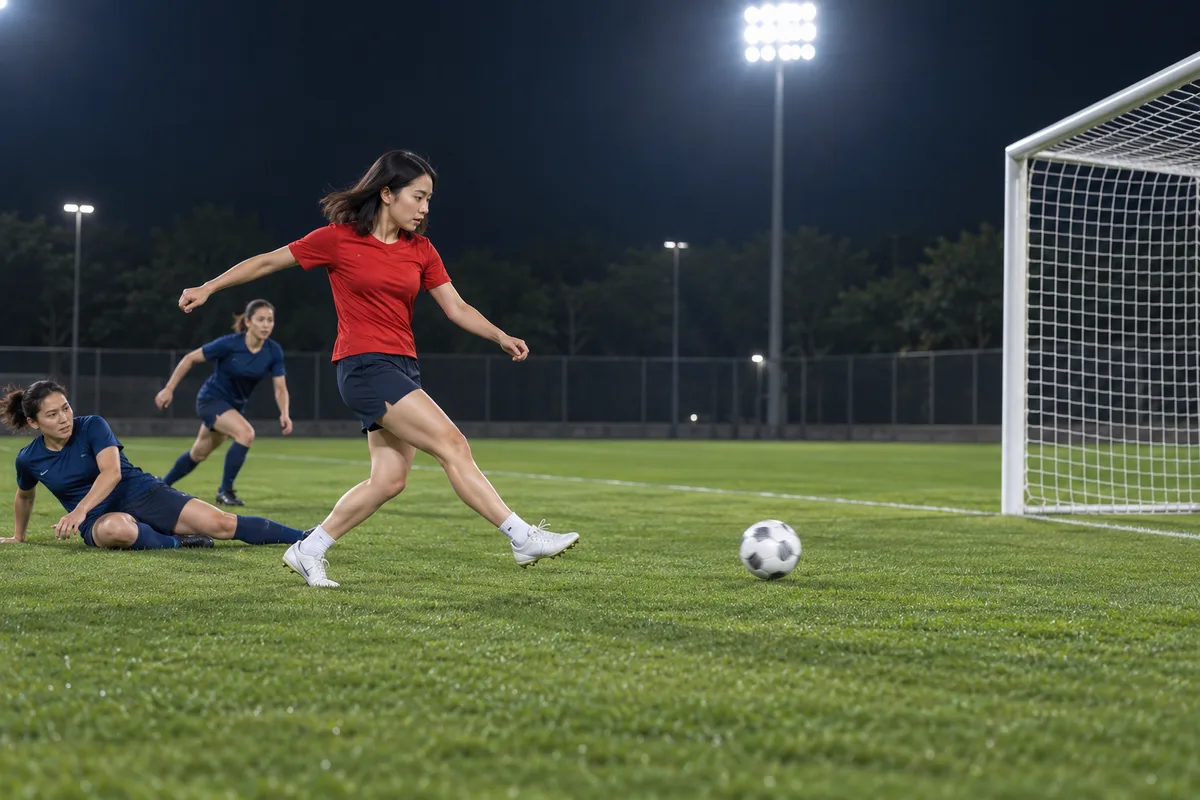
Close-range finish reference
A red-shirted player finishes toward the goal, with two blue-shirted defenders trailing behind.
AI Effects ↗External visual references, not FYP FX-generated results. They illustrate the setting or style; the generated 5-second clip may differ.
Build and inspect your chip-and-tap clip
Choose the body reference first, then follow the same ball from the opening touch to the net.
Upload both shoes in frame
Choose a clear solo full-body JPG or PNG with open floor near the feet and no overlapping people.
Generate the close-range finish
Confirm the 568-credit cost and source aspect ratio. Generate one silent 5-second stadium sequence.
Follow the chip, pause and tap
Check that one ball drops ahead and reaches the goal through a plausible final touch. Download the continuous take you can follow.
AI Ozil Goal FAQ
The tool accepts one photo, but a waist-up crop leaves the legs and shoes to be invented. Prefer a standing full-body image with both feet visible, since the chip and final tap depend on readable lower-body action.
No. The preset generates the ball, stadium pitch, goalkeeper and defenders. An uncomplicated solo portrait keeps the uploaded person clear; you do not need a sports kit or a separate goal photograph.
Treat that as a weak take rather than a completed football action. Review the whole trajectory, then consider a wider source crop with clear feet. A goal frame alone cannot show whether the chip, drop and tap connect.
The displayed preset costs 568 credits for a silent 5-second, 720p video. The output follows the source photo’s aspect ratio. A new attempt uses another generation, so inspect the full-body preview before starting.
No. Download the silent clip and add audio afterward. For a TikTok goal edit, preserve the brief pause and keep captions out of the ball path so the move remains understandable with sound off.
Overlapping people in the source or an unclear body outline can make identity harder to maintain. Try a cleaner solo full-body image. Generated supporting players and contact can still vary, so check the lead through the complete finish.
The effect has a fixed nearby chip-and-tap sequence rather than custom choreography or match selection. Generation may take several minutes. If progress is uncertain, check your history before submitting another task.
Check credits for a football take
Review the plans before trying another player photo or a wider source crop.