AI Carpool Karaoke Generator: Photo to Car Scene
Choose the people for the front seats in one photo. The studio creates a new 16:9 car scene with silent sing-along gestures.
For two people, use one shared photo with equally clear, separated faces. This scene is always 16:9; there is no song input or lyric matching.
568 credits per 5-second video
External scene references, not FYP FX-generated results. Your 5-second clip may differ.
Keep both faces equally readable
- Use one image containing either one or two people; two separate uploads are not supported.
- For a duet, choose similarly sized faces without one person hidden behind the other.
- Show the eyes, mouth and upper body; a real car or steering wheel is unnecessary.
Sign in and check your credit balance. View credit plans.
Review both seats before your TikTok crop
- The landscape 16:9 output is fixed even if the source photo is vertical.
- Mouth motion is not synchronized to lyrics, and the silent file contains no music or vocals.
- Faces, the steering wheel and hands can change during the movement.
When preparing a vertical TikTok post, fit the landscape clip with a background or border rather than cutting one singer out. Check both faces again after adding captions.
Preset details reviewed by FYP FX ·
Explore the car sing-along mood
These external references show front-seat framing and playful performance gestures that inspire the silent visual effect.
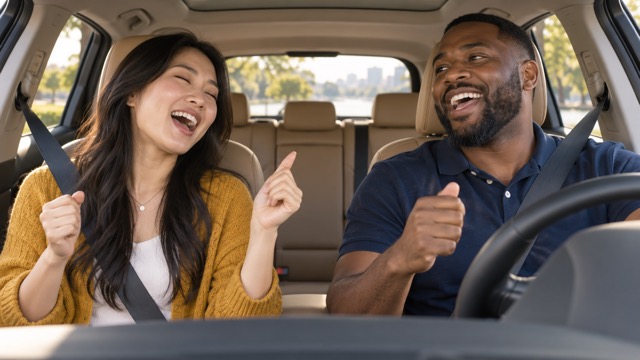
Front-seat duet reference
Two adults appear to sing from the front seats, viewed from the dashboard.
SuperMaker ↗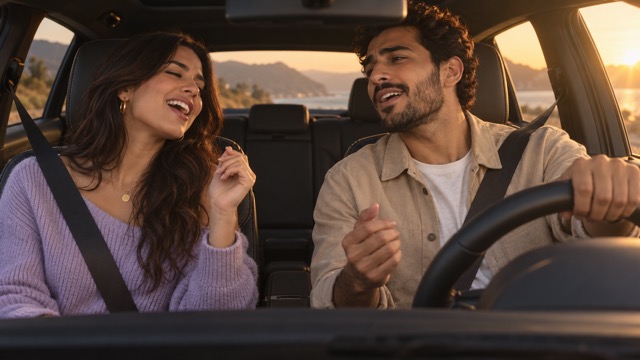
Daylight car performance reference
Two adults share a relaxed front-seat performance in warm daylight.
SuperMaker ↗External scene references, not FYP FX-generated results. Your 5-second clip may differ.
Build a readable front-seat duet
Confirm the people in the reference first, then inspect their separation in the new car scene.
Upload the solo or duet photo
Select one photo with one or two clear people. For a duet, keep both faces similar in size and fully visible.
Generate the 16:9 car scene
Check the landscape output and 568-credit cost, then Generate once. There is no song or voice to select.
Check faces, seats and wheel
Review both identities and the driver’s hands, then download. Fit the full car view into your TikTok edit and add sound separately.
Preparing your carpool karaoke generation
No. This tool accepts one photo. Put both people in the same source image if you want a driver and passenger; a single-person image is intended for a solo driver.
Check whether that face is smaller, darker or partly covered in the input. A shared photo with equally clear faces and separate shoulders gives a more balanced reference. AI likeness can still vary.
The preset generates landscape 16:9. Download it and arrange it in a vertical editor if needed. Preview the fit so neither seat is lost to a center crop.
One 5-second, 720p, 16:9 video costs 568 credits. The file is silent; adding a soundtrack afterward is a separate editing step.
No song is supplied during generation. The mouth movement suggests a sing-along but has no lyric timing; align your edit with a smile or shoulder bob rather than expecting exact lip sync.
Review the whole steering-wheel interaction before keeping the take. A clear upper-body reference may help on another attempt, but hands and car geometry remain generated details.
Look in generation history first. If the task or credits cannot be confirmed, check your balance and contact support before creating another car scene.
Plan your front-seat performance
View credit plans for the solo driver or two-person car scene.