AI Talking Skeleton Generator: Silent Skull Animation
Create a silent cartoon skeleton reaction from one portrait. The jaw and nod are preset visual motion; there is no script, voice or audio upload.

Keep the head outline clear. A visible hand may gesture, but hands are not required. Add narration after downloading; the jaw does not follow a supplied script or recording.
568 credits per 5-second video
External reference images, not FYP FX-generated results. Your 5-second clip may differ.
Keep the head outline separate from the background
- Show the complete head and upper body, facing the camera or turned slightly, with room above the hair.
- Use a simple background that makes the head and neck outline easy to inspect; the face will become a cartoon skull.
- Hands are optional. If included, show them clearly rather than cutting them at the wrist or hiding fingers behind objects.
Sign in and check your credit balance. View credit plans.
Check the jaw hinge and neck during the nod
- The skull replaces human facial details, so this is not a face-preserving talking avatar.
- Jaw movement is generic, with no generated voice, word-specific lip sync or selectable script.
- A visible hand may change to a cartoon skeleton hand; inspect it for extra fingers or contact with nearby objects.
When preparing a TikTok skeleton voiceover, keep the spoken line short and add it after download. Preview it as narration over the animation, rather than expecting matched mouth shapes.
Preset details reviewed by FYP FX ·
Compare the dressed-skeleton compositions
These external stills illustrate desk framing, a readable skull and expressive posture. They do not demonstrate generated speech or lip sync; the live preset asks for a clothed body and small jaw motion.
Dressed skeleton at a desk
A skeleton in a navy suit and tie faces the camera at an office desk, with its hands resting together. This external reference helps show a seated composition and retained clothing, not speech synthesis.
GoEnhance ↗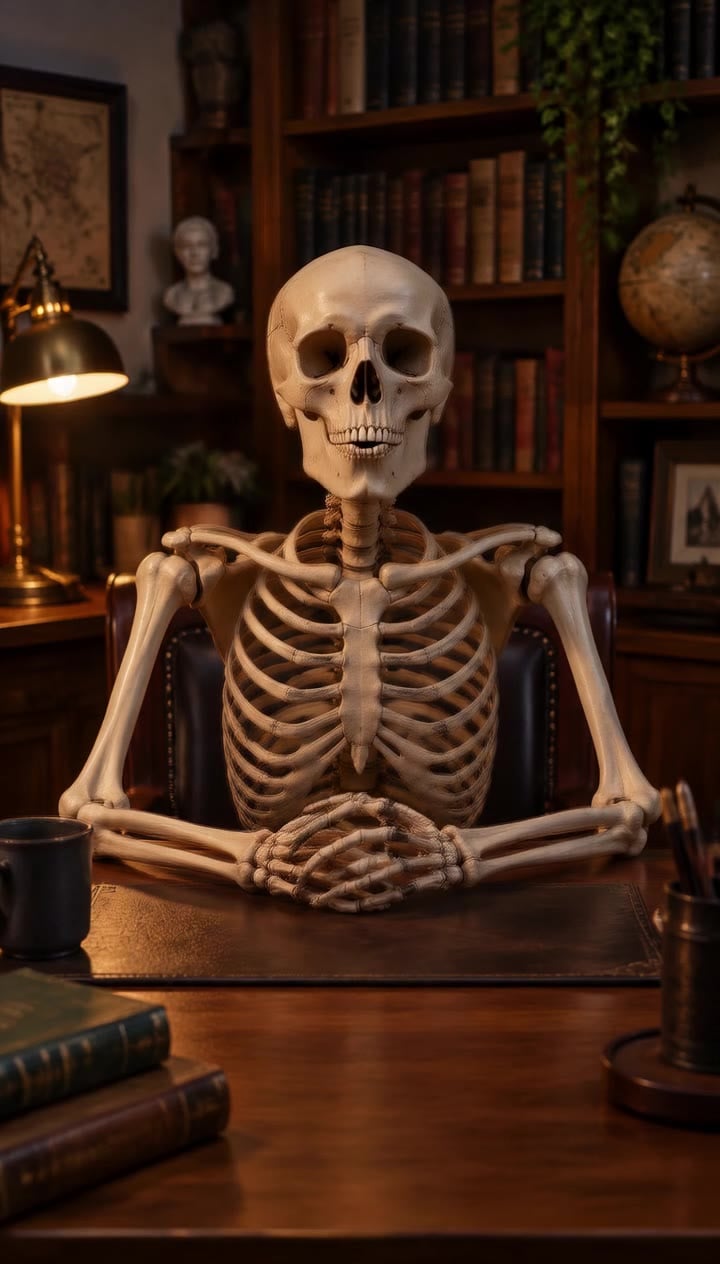
Warm study and upper-body framing
A skeleton sits at a wooden desk among books, a globe and warm lamplight. This reference shows framing and lighting; the FYP FX preset asks to retain the original outfit rather than expose the whole skeleton body.
GoEnhance ↗External reference images, not FYP FX-generated results. Your 5-second clip may differ.
Make the animation before writing the audio edit
First choose a coherent skull and nod; then fit any caption or narration to the finished motion.
Frame the head and outfit
Upload one upper-body portrait with the whole head visible. Include hands only if they are already clearly shown.
Generate the skull and nod
Confirm the 568-credit cost and start the fixed animation. No speech, script or soundtrack is supplied at this step.
Inspect the jaw before adding audio
Replay the jaw hinge, neck movement and any hand gesture. Download a suitable take, then add a brief caption or voiceover in your editor.
Skeleton jaw, audio and portrait questions
There is no text or audio input in this photo effect. Generate the silent visual first and add a caption or voiceover in an editor.
The jaw opens and closes in a generic chatting rhythm. It does not analyze your recording or produce word-specific mouth shapes.
No. The preset leaves hands outside the frame when they are absent. If a hand is visible, it may become a matching cartoon hand and make a small gesture.
Replay the jaw openings and nod, including the neck join. For a later attempt, try a clear front-facing or three-quarter portrait with a simple background.
Yes. One generation uses 568 credits. The cost is for the generated video; no voice service is included.
The human face is intentionally replaced. Judge continuity through the head silhouette, outfit, pose and background rather than a photorealistic facial likeness.
You receive a silent 5-second, 720p clip in the source aspect ratio. Processing may take several minutes; check generation history before starting another unresolved task.
Let the nod carry the reaction
Start with one uncluttered portrait and check the skull, jaw and neck in the completed take.