Bulin 47 AI Generator: Street Freestyle from a Photo
Use a portrait with an unobstructed mouth for the shoulder bounce, speaker lean and closing laugh. The performance is generated as a vertical street scene.
Keep the lips, cheeks and shoulders visible. A bright, front-facing portrait supplies more facial detail than a dark nightlife selfie; the night lighting is generated.
568 credits per 5-second video
External scene references, not FYP FX-generated results. Your 5-second clip may differ.
Leave the lips and shoulders clear
- Choose one front-facing person with visible cheeks, lips and eyes.
- Include the upper body with room beside the shoulders for a small lean.
- Avoid a microphone, hand or thick hair across the mouth; the speaker is added by the scene.
Sign in and check your credit balance. View credit plans.
Watch the performer and speaker stay separate
- The fixed output is 9:16, and the night setting replaces the source surroundings.
- The file has no rap, original recording or artist voice, and the lip motion is not matched to lyrics.
- Handheld motion, the laugh and the spacing around the speaker can vary.
Try a brief TikTok caption that sets up the final laugh, then keep the speaker and face uncovered. Match a sound break to the actual reaction after download.
Preset details reviewed by FYP FX ·
Explore the street performance look
These external references show the night setting, performance framing and expressive gestures that inspire the effect.
Fictional AI performer reference
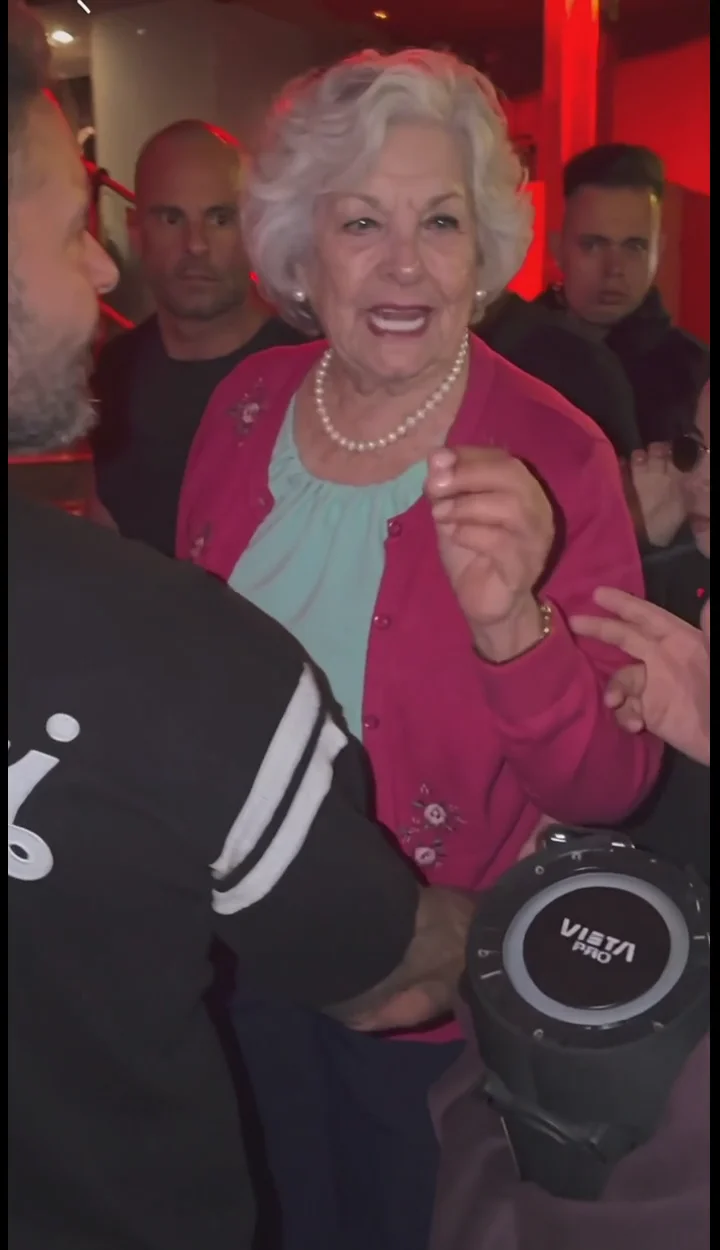
An external AI demonstration shows a fictional silver-haired adult in pink beside a portable speaker in a red-lit street scene.
Bulin47 AI ↗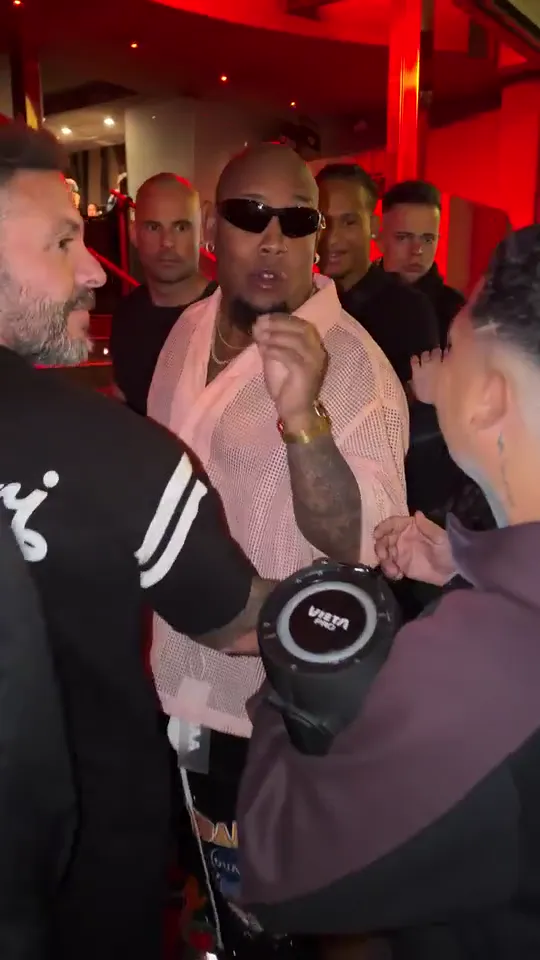
Red-lit source scene reference
An externally published street-scene poster shows a handheld speaker and bystanders under red lighting.
VideoBulin47 ↗External scene references, not FYP FX-generated results. Your 5-second clip may differ.
Prepare a clear street-performance take
The portrait supplies the performer; review the interaction once the new doorway scene is ready.
Upload a mouth-clear portrait
Show one front-facing person, with the lips and shoulders unobstructed for the lean and laugh.
Generate the vertical performance
Confirm the fixed 9:16 scene and 568-credit cost, then select Generate once for the silent 5-second take.
Inspect the speaker and reaction
Watch the face through the shoulder bounce and final laugh. Check that the speaker and nearby people stay separate before downloading.
Using the Bulin 47 Freestyle tool
No. This tool has one photo input and a fixed silent performance. There is no lyrics, song or voice field. Add sound to the downloaded visual in your editor.
The scene introduces red night lighting, so a source that already hides the eyes or mouth can leave little detail to follow. Try an evenly lit portrait rather than matching the scene with a dark selfie.
Follow the speaker as the performer leans in. It should remain a distinct object held by another person, without merging into the lead’s shoulder, mouth or hands.
Each generation costs 568 credits and creates one silent 5-second, 720p video in portrait 9:16. A new attempt is another generation.
The photo supplies the lead’s identity, not a fixed opening scene. The red-lit entrance, nearby speaker and handheld vertical view are preset; this tool has no background or camera selector.
The face is animated into a new expression, so likeness can drift. A sharp frontal photo with less filtering and no mouth obstruction gives a clearer reference; review the entire laugh rather than one good frame.
Check your generation history and balance before another submission. Contact support if the task or credit status remains unresolved rather than repeatedly starting new takes.
Plan your street-performance take
Check credit plans before creating the speaker lean and closing laugh.