Storm II AI Generator: Crowd Dance Behind Your Photo
Start with the person who should stay calm while the crowd moves. The photo opens into dusk-lit steps with a small synchronized background dance.
Choose one upright, front-facing person with relaxed arms and room around the silhouette. A busy group photo can make it harder to keep the lead distinct from the new crowd.
568 credits per 5-second video
External visual references, not FYP FX-generated results. They illustrate the setting or style; the generated 5-second clip may differ.
Keep one relaxed lead easy to find
- Use an upright, front-facing solo pose with relaxed shoulders and arms.
- Leave breathing room around the head and torso for the crowd reveal.
- Avoid an action pose or a second person touching the lead’s outline.
Sign in and check your credit balance. View credit plans.
Review the difference between lead and crowd
- The lead is directed to remain nearly still, but exact stillness and crowd synchronization can vary.
- A gentle pullback may make the face smaller; source sharpness matters at phone size.
- The source aspect ratio is retained, without a selectable crowd size or soundtrack.
For a still-person, moving-crowd TikTok clip, compare your edit before and after cropping. Keep enough background on both sides for the contrast to survive.
Preset details reviewed by FYP FX ·
Explore the crowd-dance mood
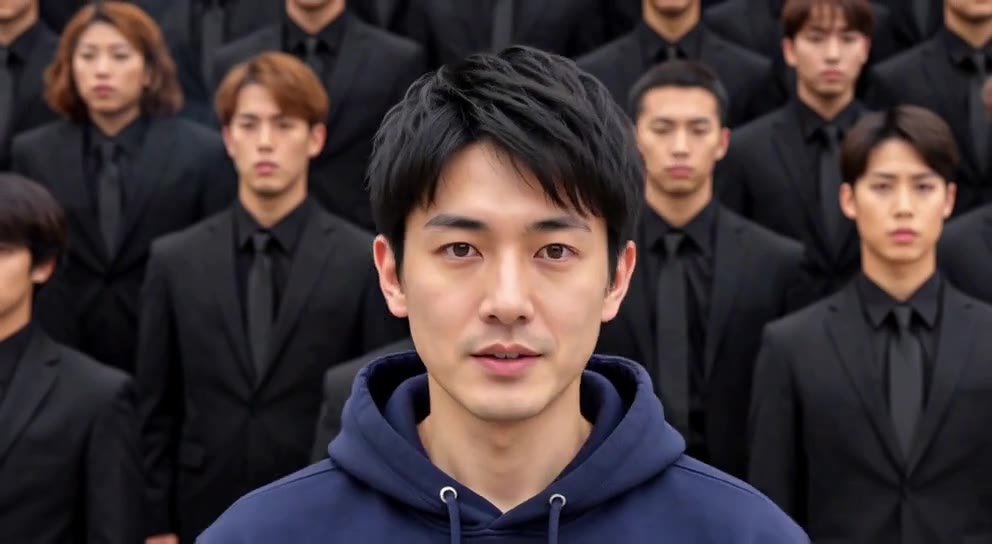
These references show a centered main subject against orderly rows of people, illustrating the contrast behind the crowd-dance concept.
Centered crowd composition
A person in a navy hoodie stands in the center, with rows of people in dark suits behind them. The image is a reference for the main-subject and crowd framing.
GoEnhance ↗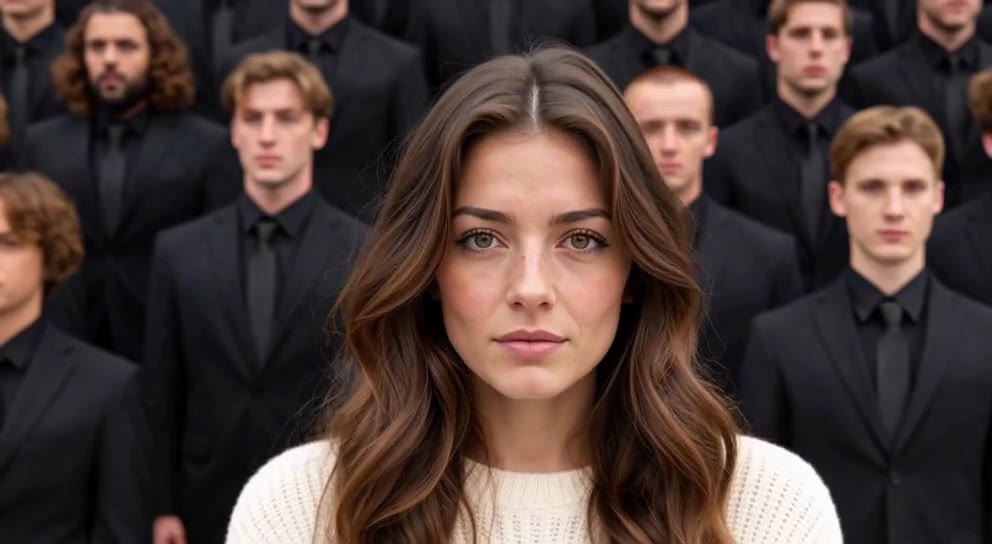
Front-facing subject reference
A person in a cream sweater faces the camera while rows of people in dark suits fill the background.
GoEnhance ↗External visual references, not FYP FX-generated results. They illustrate the setting or style; the generated 5-second clip may differ.
Keep the lead calm through the reveal
Use the source pose to establish the lead, then check whether that role stays clear once dancers appear.
Upload a calm, upright portrait
Choose one front-facing person with relaxed arms and room around the body; no crowd is needed in the photo.
Generate the dusk crowd reveal
Confirm your crop and 568-credit cost, then select Generate once for the silent 5-second scene.
Check who moves and who holds
Watch the lead remain readable while the crowd moves behind. Inspect face size and body separation before downloading.
Creating your Storm II crowd scene
The intended lead remains nearly still, but generated movement can vary. Try a more neutral upright reference with relaxed arms rather than a dance or action pose if you want another take.
No. The steps, crowd and small synchronized arm-and-shoulder movement are fixed scene directions. This tool does not include a dancer-count or choreography control.
Check the result at phone size after the camera pulls back. A sharper photo with a larger, clear lead may be a better input; avoid fixing the crop so tightly that the background dancers disappear.
One silent 5-second, 720p generation costs 568 credits. The frame shape follows your uploaded photo. Check the displayed cost before starting.
Inspect the head and shoulder edges as the crowd appears. A solo input without overlapping people gives a cleaner boundary, although generated crowd anatomy can still vary.
There is no sound input. Download the silent file and add music in your editing or publishing app, then align the sound with the background movement you received.
Allow several minutes and check generation history if the page cannot confirm progress. Review your balance and contact support if status remains unclear before starting another task.
Plan your crowd reveal
Check credit plans for the calm-lead and moving-crowd scene.