AI Broom Riding Generator: Photo to Moonlit Flight
Generate one short witch-broom flight from a photo. A readable body reference matters because the preset creates a new riding pose and night-sky scene.
Keep the face, arms and torso visible. Check the hands, knees and broom together during the lift; the original location changes to a night-sky flight scene.
568 credits per 5-second video
External visual references, not FYP FX-generated results. Your 5-second clip may differ.
Make room for the riding posture
- Use one person with a clear face and a full-body or roomy half-body view. A face-only crop gives little guidance for the flight pose.
- Keep arms and torso visible without large objects crossing them; a real broom or costume is optional.
- Choose the source aspect ratio before upload, leaving space around the person for the broom and airborne movement.
Sign in and check your credit balance. View credit plans.
Follow the rider, hands and broom together
- The riding pose and skyline are generated, and facial details or limb positions may change.
- Check hand placement and whether the broom remains connected to the rider throughout the lift.
- The flight is one short scene, without a selectable route, landing or generated wind sound.
For a TikTok witch broom video, check the takeoff and airborne portion at phone size. Avoid a crop that removes the broom’s front end or the rider’s knees.
Preset details reviewed by FYP FX ·
Look at the rider, broom and open sky
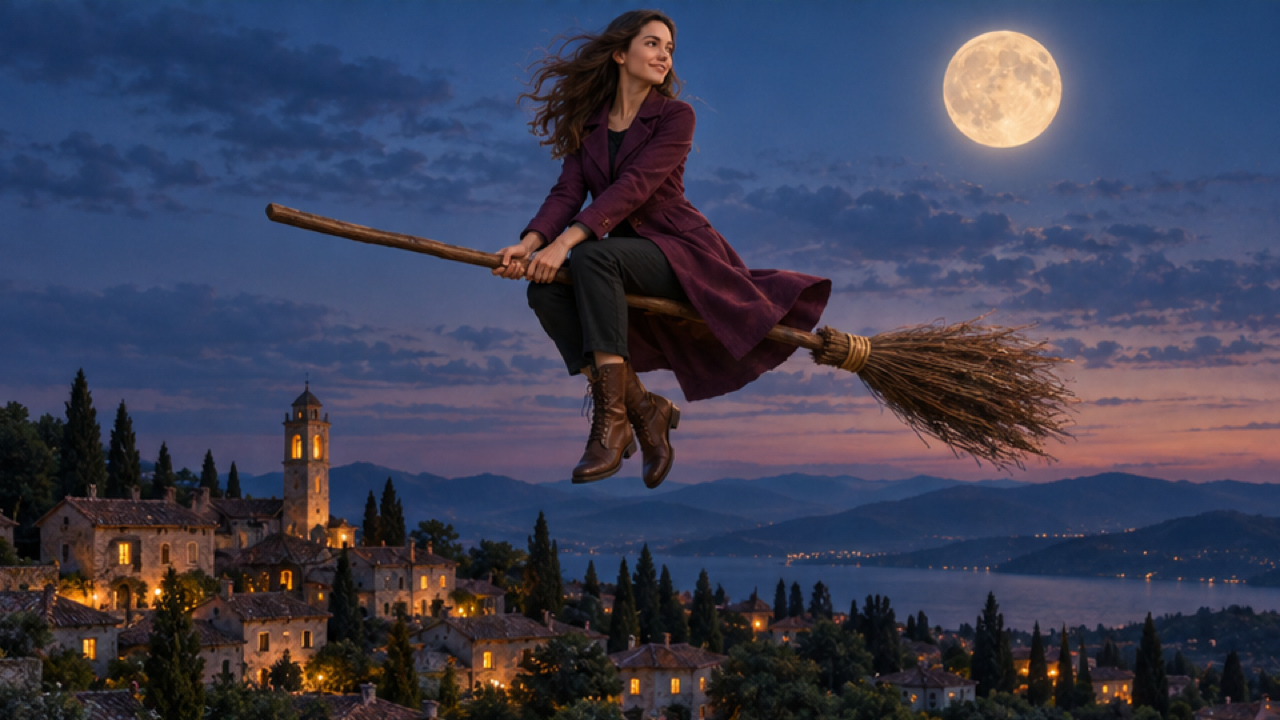
These external illustrations show a complete broom-riding silhouette above moonlit rooftops or a courtyard. Use the space around the rider as a framing reference; the images do not show this preset’s takeoff.
Moonlit village flight reference
An external illustrative image shows an adult woman in a plum long coat, black trousers and brown boots riding a wooden broom above village rooftops, with a full moon in the upper-right sky.
Dreamina / CapCut ↗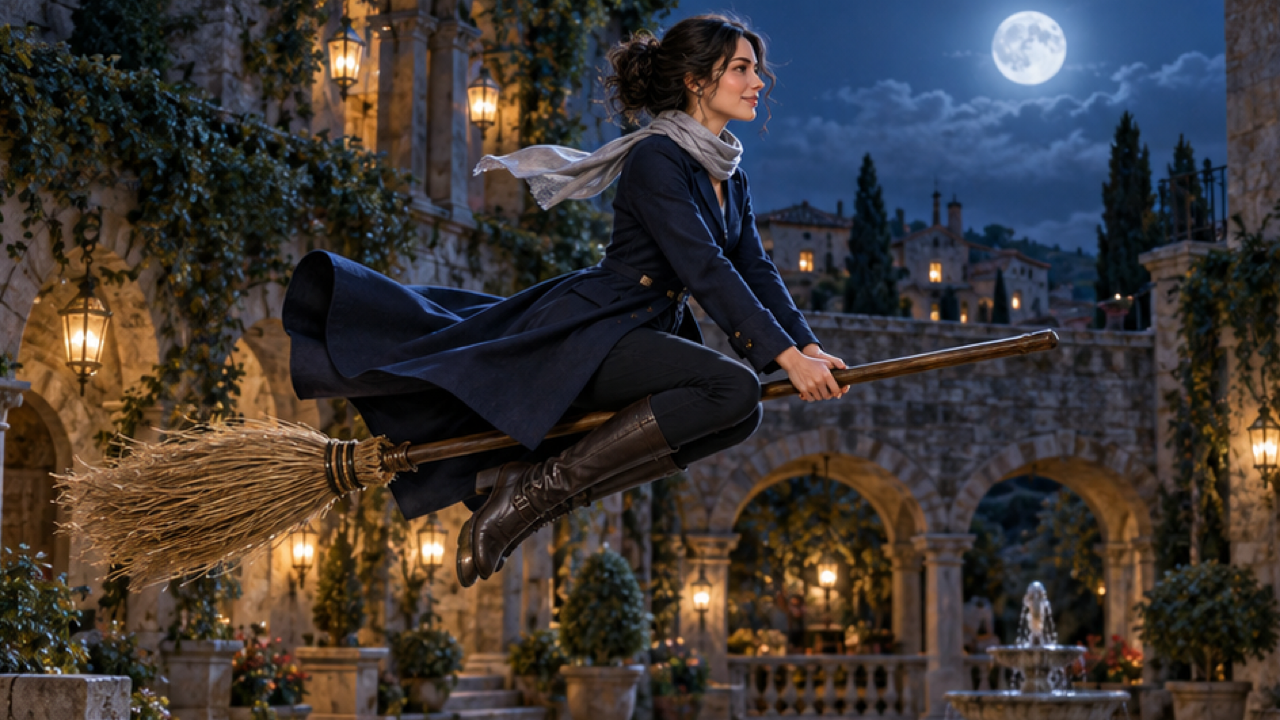
Lantern-lit courtyard flight reference
An external illustrative image shows an adult woman in a navy long coat and a short silver-grey scarf hovering on a wooden broom above a stone courtyard lit by warm lanterns, with a full moon behind her.
Dreamina / CapCut ↗External visual references, not FYP FX-generated results. Your 5-second clip may differ.
Prepare the rider, then inspect the lift
Choose the source for body visibility, and judge the finished clip as a moving rider rather than an isolated face.
Choose a roomy rider reference
Upload one full-body or half-body photo with the face, arms and torso clear. You do not need a broom in the source.
Generate the rooftop flight
Check the 568-credit cost and start one take. The fixed scene adds the broom, takeoff and moonlit sky.
Review the lift and riding pose
Watch how the body meets the broom and how the face holds during flight. Download a take with an acceptable rider and crop.
Broom flight photo and pose questions
A roomy half-body or full-body photo is more suitable because it shows the arms and torso. A face-only source leaves most of the airborne body to be invented.
It is not required. The preset creates a wooden broom and a new riding pose; avoid a large object hiding the arms or torso.
There is no route control. The fixed direction uses a moonlit night sky above quiet rooftops, rather than preserving the original location.
Review the whole lift before keeping the take. For a later attempt, use a clearer body reference with visible arms; a different input may help but cannot guarantee perfect contact.
Each generation uses 568 credits. Check the displayed amount and balance before submitting another take.
You can edit the downloaded file, but cropping can remove the rider or broom. A vertical source with room around the body gives you a vertical starting composition.
The preset creates a silent 5-second, 720p clip, following the photo’s aspect ratio. Processing can take several minutes; check history before repeating an unresolved task.
Find a portrait with room to fly
Use a full-body or half-body reference and review one broom flight before trying a different source.