Tesla Roadster AI Video Generator: Flying Car Scene
Make a compact sci-fi driver scene from a portrait. Check that the button gesture leads into a readable short lift above the road.
Choose a clear waist-up portrait with visible shoulders and, if possible, hands. The tool builds a sci-fi cockpit and brief lift-off; no real car interior or vehicle photo is required.
568 credits per 5-second video
External visual references, not FYP FX-generated results. They illustrate the setting or style; the generated 5-second clip may differ.
Show enough upper body for the cockpit gesture
- Choose one waist-up person with a sharp face and clearly separated shoulders.
- Visible hands can provide reference for the button press; avoid an object or another person covering the arms.
- Leave room around the upper body. A real car cabin or vehicle-only photo is not needed.
Sign in and check your credit balance. View credit plans.
Inspect the hand, controls and road gap
- Controls, car body and facial details are generated. A hand fused into the dashboard or an unreadable lift-off is a weak take.
- The car design is fictional and cannot be matched to a selected Tesla model. This short effect does not demonstrate real vehicle performance.
For a TikTok AI flying-car clip, keep the small rise visible after the button press. Avoid a tight face crop that removes the road beneath the car.
Preset details reviewed by FYP FX ·
Compare cockpit framing and the lift-off gap
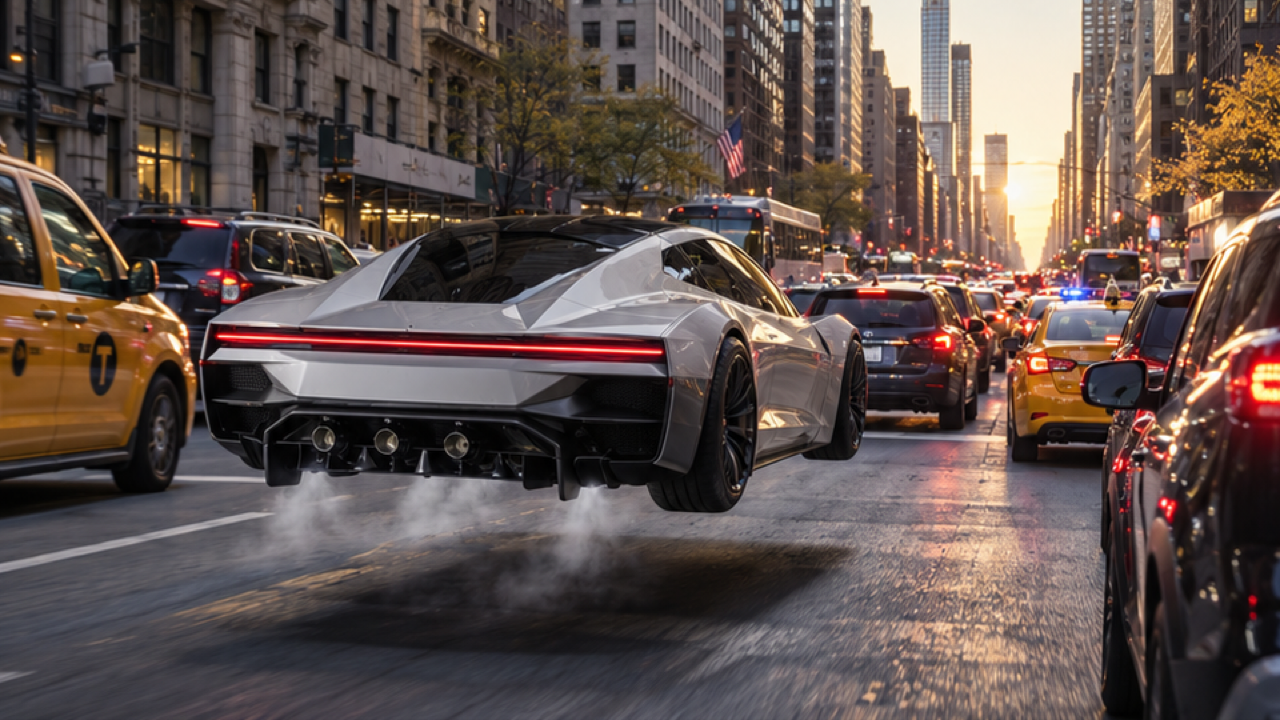
The hovering car illustrates the space above traffic; the cabin poster illustrates the driver view. Its caption is part of the original external image. These references do not demonstrate actual vehicle capabilities.
Hovering sports-car reference
A futuristic silver-white sports car hovers a short distance above city traffic, with vapor and a shadow underneath.
Visual reference image (original source unverified) ↗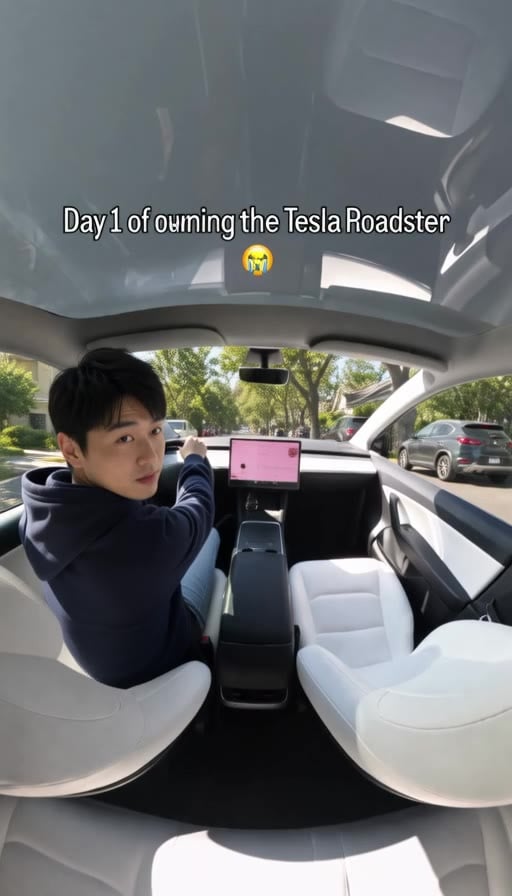
Cabin trend-poster reference
A seated driver looks back inside a white car cabin. This external trend poster includes the caption from the original image.
GoEnhance ↗External visual references, not FYP FX-generated results. They illustrate the setting or style; the generated 5-second clip may differ.
Create your cockpit-to-lift moment
Choose a useful driver reference, then judge the connection between the gesture and the rise.
Upload the driver portrait
Choose one clear waist-up JPG or PNG. Keep the face, shoulders and useful arm detail visible.
Generate the cockpit and lift
Check the 568-credit cost and source aspect ratio, then create one silent 5-second fictional flying-car scene.
Review the gesture and road gap
Inspect the hand at the button and the short rise above traffic. Keep the person readable and download the coherent take.
AI Tesla Roadster FAQ
Use a person portrait for the driver. The preset generates a futuristic cockpit and sports car around that reference. It does not have a second input for matching a specific vehicle or actual Tesla interior.
A clear waist-up portrait with visible shoulders and uncomplicated arms is useful. Hands are helpful when visible, but they need not already touch a control. Avoid a tight headshot or a large object covering the upper body.
Look for a readable space between car and road while the driver remains identifiable. Check the button hand, cockpit edges and traffic for sudden jumps. A futuristic car image alone does not establish the action.
The preset costs 568 credits for a silent 5-second, 720p result. The aspect ratio follows your source photo. A new generation is another paid attempt, so check the person preview first.
No. The file is silent. Add sound separately after download, and present the TikTok flying-car edit as a fictional AI scene rather than footage of a real vehicle feature.
The control gesture and cockpit are generated together. A clear portrait with separated arms gives more useful body detail, but controls and anatomy can still vary. Inspect the contact moment before keeping the take.
No. The design, controls and short hover are fictional scene details, with no Tesla endorsement or accurate model guarantee. Generation may take several minutes; review history if the task status is uncertain before trying again.
Review credits for a sci-fi car take
Check the available plans before testing another driver portrait or source crop.