Plan the entrance around the toast
A Burning Bridges TikTok clip has one main payoff: the glass rises and the person holds a composed look toward the camera. Choose a portrait that leaves room for the forearm and flute, rather than a face crop that hides the gesture.
Use the Burning Bridges tool for the generation, or see the effect introduction for the scene’s meaning. This guide follows the glass from the source crop to the final edit: where the hand can move, what makes the grip readable and how to keep captions out of its way.
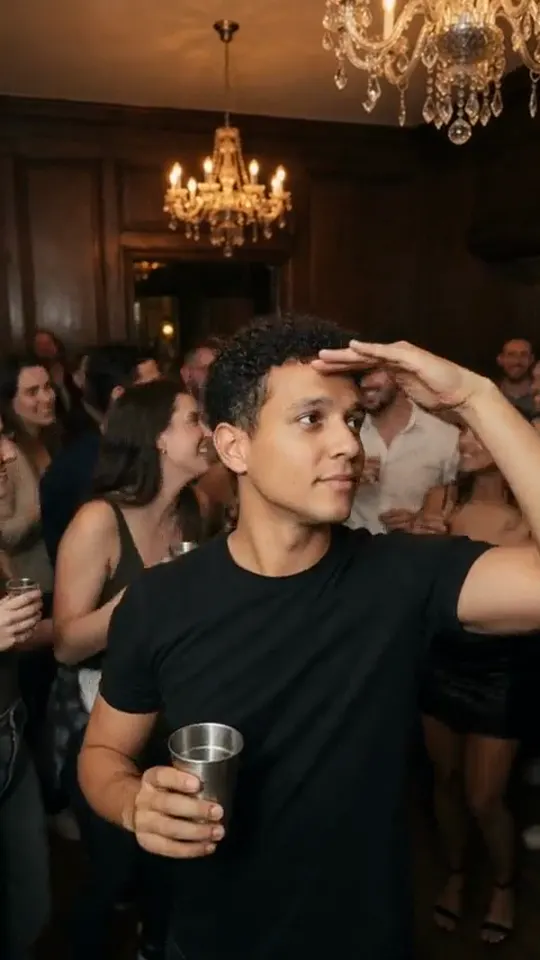
External visual reference from burning-bridges.com. Not a FYP FX-generated result.
The Burning Bridges effect is a party entrance with a simple payoff: one confident step, a raised glass and a composed look toward the camera. Warm chandelier lighting and soft background guests give the moment its evening-party setting. The name describes the social-video format; the scene does not contain a bridge or fire.
Burning Bridges on FYP FX creates a 5-second, 720p video for 568 credits. It starts from one uploaded photo, follows that photo’s aspect ratio and uses a fixed prompt. The video is silent, so the toast arrives as a visual gesture rather than a soundtrack performance.
1. Frame the person for a toast
Choose one sharp photo with the upper body and hands visible. A half-body or full-body composition gives the model room for the step and raised glass. Keep the face large enough to recognize and leave some space beside the torso.
Avoid a close face crop, crossed arms or hands hidden behind another person. An existing glass is not required, but a cluttered foreground covering the hands can make the new gesture harder to read. A relaxed pose is useful because the intended movement is brief and controlled.
The uploaded photo is the opening frame. Consider how its lighting and pose will lead into a warm party scene; a simple background and clear subject outline can make that transition easier to follow. The preset uses your face, hairstyle and outfit as references, although it may change details.
Crop before uploading for the publishing format you want. A portrait image creates a taller composition, while a landscape image leaves more width for the party. The effect does not require a vertical photo.
2. Upload and confirm the fixed generation details
Open the effect and sign in. Choose Click to upload, select one JPG or PNG up to 20 MB, and check the preview. Confirm that the face, hands and intended crop are visible once uploading finishes.
Read the displayed Silent · 720p, 5-second clip, photo-based aspect ratio and 568-credit cost. The scene is preset; there is no prompt to write, party style to select or duration to extend in this workflow.
Select Generate once when the input and balance are ready. Processing can take several minutes. If status cannot be checked, look in generation history before starting a second task.
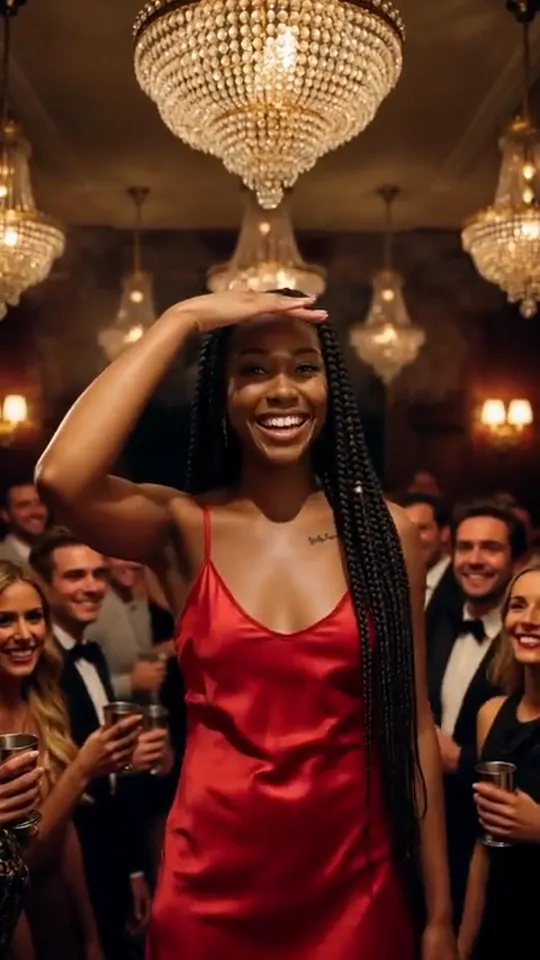
External visual reference from burning-bridges.com. Not a FYP FX-generated result.
3. Follow the glass from start to finish
Watch the opening photo, the camera’s gentle pullback and the final toast. The action should read as one continuous entrance, with the main person remaining clear against softer guests.
- Face: compare the likeness before the step and while the glass is raised.
- Grip: look for a plausible hand around the flute rather than fingers merging into its bowl or stem.
- Glass: check that it stays a consistent shape and does not pass through the chest or face.
- Movement: the step and lift should remain balanced; extra gestures or abrupt cuts can dilute the short scene.
The background is supporting detail. A clear person and readable toast matter more than counting individual guests or demanding an exact chandelier.
4. Improve a specific weakness
If the glass floats, try a photo where both forearms and hands are easier to distinguish. If the face drifts, choose a sharper photo without heavy filters. If the raised glass leaves the frame, loosen the crop around the upper body before another attempt.
The preset creates its own party entrance. It does not promise an exact recreation of a reference performance or a complete music-video routine.
5. Time a Burning Bridges TikTok edit to the raised glass
Use Download video when the result is ready. Keep the step forward before the final toast so the entrance has a beginning and a payoff. Add sound separately in TikTok or your editor, and place its accent near the moment the flute reaches the hold. The motion was generated without listening to that sound, so adjust the audio rather than expecting lyric or beat matching.
A short setup such as “Arriving with no explanation” can frame the party joke. Put it away from the face and glass, then check the edit with sound off: the step, raised drink and composed expression should still be understandable. Label the finished scene as AI-generated.