Show the face and torso beside the generated machine
Create a comic ATM scene from one photo, with a burst of blank paper and a surprised reaction. Use the ATM Glitch tool to create the clip, or read the effect introduction for the intended sequence.
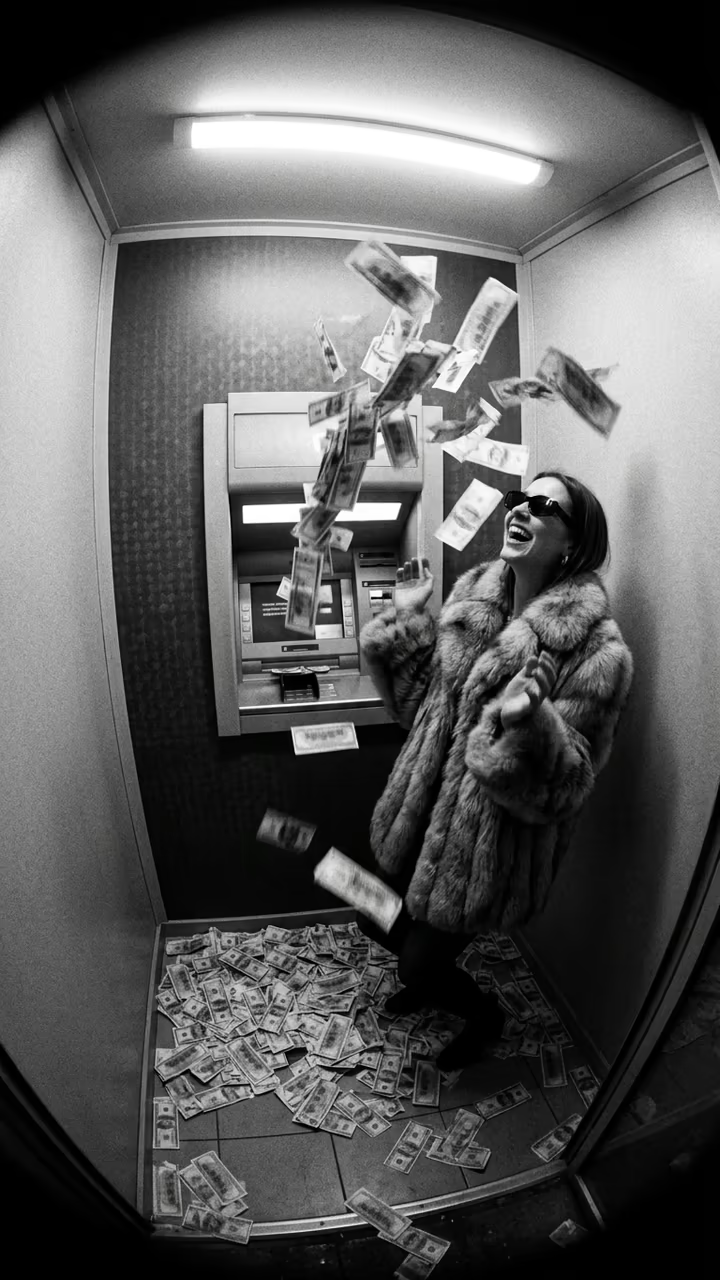
The preset creates a silent, 5-second, 720p video for 284 credits. The scene uses a vertical 9:16 frame, regardless of the source photo’s orientation. Check the displayed quote before generating; five seconds is the finished clip length, rather than the processing time.
Step 1: Choose the reference for this sequence
Your photo is an identity reference for a newly generated scene. It does not set the opening video frame, source background or final crop.
Use one clear person reference with visible upper body. The preset builds a new scene beside a generic ATM-like machine; you do not need to supply a bank, card or machine photo.
- Use one sharp face with some upper torso visible.
- Keep the arms and body unobstructed by another person.
- Prefer a plain reference without a card or large held object.
A clear waist-up reference gives the reaction enough facial detail. No machine, card or cash needs to be in the photo; the preset builds the ATM-like machine and uses blank paper as the comic burst. Use a photo you have permission to use.
Step 2: Upload and start one generation
Open ATM Glitch, sign in and upload one JPG or PNG up to 20 MB. Wait for the upload to finish and check the preview against the photo guidance above. Confirm your balance covers 284 credits, then select Generate once.
There is no bank, currency, machine-control or paper-burst-strength selector. Processing can take several minutes. If progress stops updating, check My videos and your balance before submitting again. Contact support if the status remains unclear.
Step 3: Review the full action and ending
The generated person begins beside a generic ATM-like machine without operating it. The preset adds an exaggerated burst of blank paper slips from the machine. The person reacts with widened eyes and a short comic hold. These are the intended actions; generated timing, identity and object motion can differ.
Watch the full clip once at normal speed, then replay the contact points and ending:
| Check | What to review |
|---|---|
| Setup | One person stands beside one coherent machine, without an unexplained extra subject. |
| Paper burst | Blank slips emerge as a comic visual element rather than merging with the face or hands. |
| Reaction | The eyes and mouth remain recognizable in the surprised pause. |
| Machine and ending | The machine outline and person settle without large object replacements or unwanted text. |
If paper covers the face, a reference with a clearer face may help recognition, but cannot set individual paper paths. If the body distorts, try a simpler upper-body pose without a large held object. Each new generation uses credits, and a different source does not guarantee a corrected result.
Step 4: Download and finish the timing
Use Download video in the studio, or open the completed result in My videos. After downloading, place a short paper-rustle or comic sound at the burst. Keep the reaction visible after the paper appears.
Music, captions and trims are editing steps after downloading. If you share the result, identify it as AI-generated so viewers understand that the scene or movement is newly created.
FAQ
Is this real cash or a working ATM demonstration?
No. It is an imagined visual joke using blank paper from a generic machine. It does not show a real transaction or machine procedure.
Do I need a card or an ATM in the photo?
No. The photo supplies the person reference. The machine and paper are generated.
Can I choose a bank or a currency?
No. This preset has no bank, currency or machine-control selector.
Choose a suitable photo and create a ATM Glitch video. The effect introduction has a quick summary of the photo requirements and limitations.