Frame the hands and full stance for the greeting
The AI Sawadika Dance tool animates one standing photo with a short greeting-inspired sequence: a small sway, hands coming together near the chest, a light bow and an open-arm welcome. The name identifies this video preset; it does not guarantee an exact viral routine or teach traditional dance technique. The effect introduction summarizes the gesture.
The output is a silent, 5-second, 720p video for 284 credits. The aspect ratio follows your source photo. Check the displayed quote before generating.
Step 1: Choose a relaxed standing photo
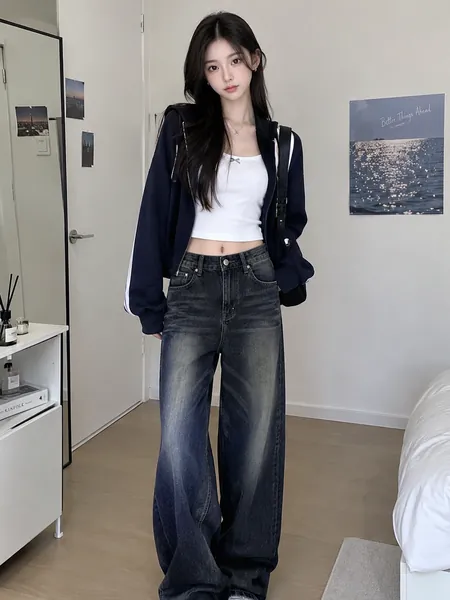
Use one JPG or PNG, up to 20 MB, showing one person from head to shoes. Use a photo you have permission to use.
- Keep both hands visible, with no object blocking the chest.
- Leave space beside the arms for the opening gesture.
- Show the floor and both shoes so the bow has a readable stance.
- Choose a sharp face without a hand, phone or hair covering it.
A seated source or waist crop hides the stance. The preset asks to retain the reference outfit; traditional clothing is not required and there is no costume-change control.
Step 2: Upload and generate once
Open AI Sawadika Dance, sign in and upload the photo. Wait for the upload to finish, then check the hands, face and shoes in the preview. Confirm your balance covers 284 credits and select Generate once.
There is no editable prompt, exact-routine selector or song control. Processing can take several minutes. If progress is unclear, check My videos and your balance before submitting again.
Step 3: Review the palms, bow and welcome pose
The preset asks the hands to rise toward chest height, meet during a small bow, then separate into an open-arm gesture before the person holds. The feet are intended to stay planted. Generated hand shape, bow depth and face detail may differ.
| Check | What matters |
|---|---|
| Hands coming together | There are two coherent hands, without merged palms or extra fingers. |
| Small bow | The neck and upper body bend naturally rather than folding sharply. |
| Feet and balance | Both shoes remain grounded and the person stays balanced. |
| Return to standing | The face is recognizable again when the hands open and the pose settles. |
If the palms merge, a source with visible, separate hands may help another attempt. If the face is hidden throughout, use a more upright, front-facing source. Each new generation uses credits and may still miss part of the sequence.
Step 4: Download and align the audio yourself
Select Download video in the studio, or open the completed clip in My videos. Add audio in your editor and align it to the sway and bow. The video is silent and is not automatically synchronized to a named track.
For a longer still opening, prepend a frame of the source photo in your editor. Keep captions away from the hands and face, and identify the edit as AI-generated if sharing.
FAQ
Is it an exact performance of a particular dance?
No. This preset uses a short stylized greeting sequence, rather than copying a specific reference performance.
Do I need traditional clothing?
No. Use a normal standing photo; the preset asks to retain the outfit.
Can I animate two people together?
The preset is designed for one person. A group source can mix identities or gestures.
Choose a clear standing photo and create an AI Sawadika Dance video. For a more percussive movement sequence, see AI Toc Toc Dance.