Leave room for the knocks and small hop
The AI Toc Toc Dance tool animates one standing photo with two air knocks, a low knee lift and one small hop into a hold. It uses a fixed short sequence, rather than reproducing a specific performance or matching an included song. The effect introduction explains the intended movements.
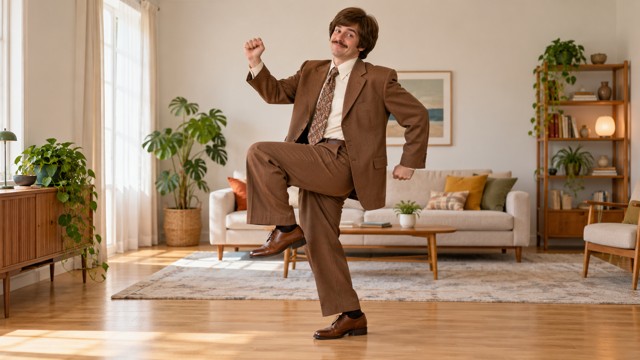
The preset creates a silent, 5-second, 720p video for 284 credits. Its aspect ratio follows your source photo. Check the quote in the studio before generating.
Step 1: Check the hands, ground and headroom
Use one JPG or PNG, up to 20 MB, showing one person from head to shoes. Use an image you have permission to use.
- Keep the arms visible and leave room at chest height for the air knocks.
- Show both shoes and a simple floor for the knee lift and landing.
- Leave a little space above the head for the hop.
- Prefer a relaxed standing pose without crossed limbs or a held object.
A seated photo or crop at the knees hides the final movement. No real door or prop is needed: the knocks are made in the air.
Step 2: Upload and run the movement preset
Open AI Toc Toc Dance, sign in and upload the photo. When the upload finishes, check the hands and both shoes in the preview. Confirm your balance covers 284 credits, then select Generate once.
There is no move selector, editable prompt or audio synchronization setting. Processing can take several minutes. If progress stops updating, check My videos and your balance before generating again.
Step 3: Follow the two knocks through the landing
The preset asks for hands to rise near the chest, two gentle knocks in the air and a low single-knee lift. The lifted foot returns to the floor before one very small two-foot hop, then the person settles into a hold. Generated timing, fingers and foot contact can vary.
| Check | What to review |
|---|---|
| Two air knocks | The hands remain below the face, with coherent fingers and no added object. |
| Knee lift | One leg lifts and returns without an extra limb or merged shoes. |
| Small hop | Both feet leave and return to the floor in a readable movement. |
| Ending balance | The person settles rather than sliding, floating or continuing to jump. |
If the feet disappear, choose a wider crop with more visible ground. If the hands cover the face, use a simple source with arms separated from the torso. A new generation uses credits and cannot guarantee every movement will be corrected.
Step 4: Download and place the percussive sound
Use Download video in the studio, or open the finished clip in My videos. Add a knock or percussive sound in your editor at each air knock, and place a beat at the landing if it fits. The clip itself is silent.
Trim after the final hold if you want a shorter edit. Keep captions away from the hands and shoes, and identify the result as AI-generated if sharing.
FAQ
Does it include the original Toc Toc audio?
No. Add and align a track in your editor.
Can I remove the hop in the generator?
No. The movements are fixed, but you can trim the downloaded clip.
Will every result show exactly two knocks?
The preset requests two, but AI may miss, repeat or distort a movement. Review the whole clip.
Pick a standing photo with clear hands and shoes and create an AI Toc Toc Dance video. For a side-step groove, see the AI Charme Dance guide.