Use an adult portrait as an identity reference
The AI Makeup Timelapse generator uses one adult portrait to guide identity in a new vertical makeup-chair scene. It does not use the photo as the opening frame. The preset requests a natural-looking start, then a fixed glam build with soft contour, smoky eyeshadow, winged liner and red lips, ending with a small wink and smile.
The new vanity setting and camera composition are generated. A natural-looking opening is an instruction, rather than a promise to remove existing makeup or reconstruct a verified bare-face version of the person.
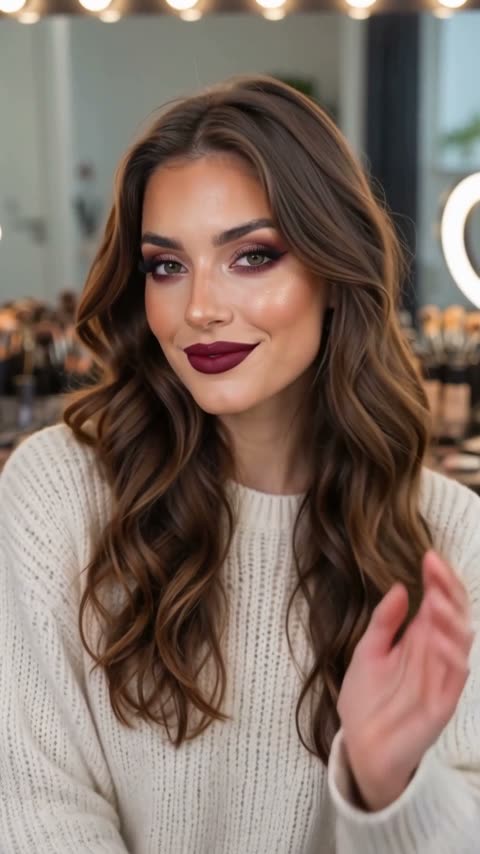
A generation produces a silent, 5-second, 720p vertical 9:16 clip for 284 credits. Five seconds describes the finished clip, not the wait. Check the displayed quote before submitting.
Step 1: Choose a clear face, neck and shoulders
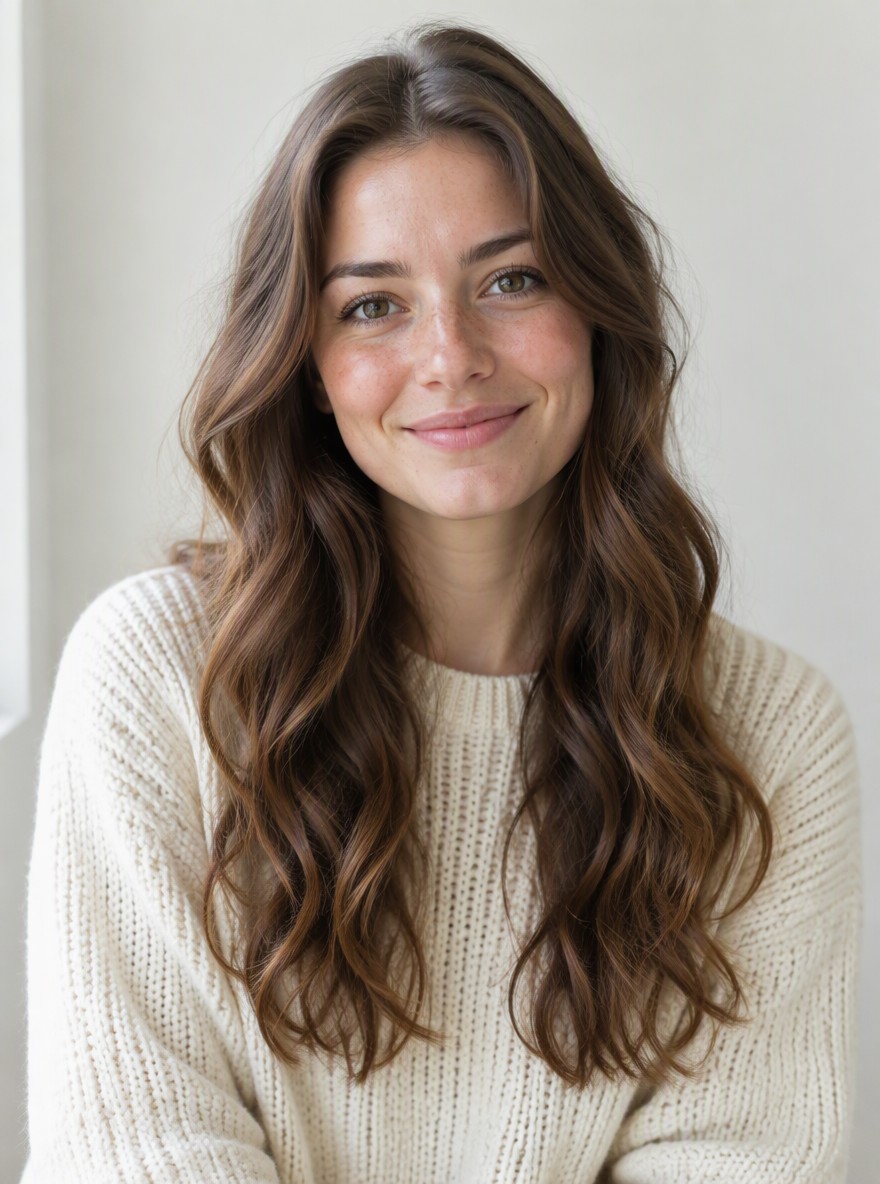
Use one JPG or PNG up to 20 MB that you have permission to use. The reference should show exactly one adult:
- Keep the face front-facing, sharp and evenly lit, with both eyes and the mouth visible.
- Include the neck and shoulders so the generated head-and-shoulders composition has readable proportions.
- Avoid sunglasses, strong smoothing filters, blur, or hair and hands covering the eyes or mouth.
- Prefer natural-looking source makeup. Heavy existing glam makes the intended contrast harder to judge; it is not a reliable way to request makeup removal.
You do not need to photograph a makeup chair, brushes or a bulb-lit mirror. The preset builds the vanity scene and a seated pose. It aims to retain facial structure, skin tone, hairstyle and hair colour; it does not offer a hair makeover.
Step 2: Check the portrait and generate once
Open AI Makeup Timelapse, sign in and upload the portrait. Wait for the upload to finish, then check the face, eyes, mouth and shoulder framing in the preview. Confirm that your balance covers the 284-credit quote and select Generate once.
There is no editable prompt, shade menu or hairstyle control. The makeup build and wink are fixed preset instructions, rather than a choice of products or a recording of a real application routine. This focuses on a seated beauty scene, while AI Halloween Makeup is a separate face-paint look.
Processing can take several minutes. If progress stops updating, check My videos and your balance before submitting again. Contact support if the status remains unclear. A new generation, including a retry for a different result, is another paid attempt at the displayed price.
Step 3: Review the face, makeup alignment and wink
The table describes the requested sequence, not an observed generation test or a promise of exact timing. Watch the full clip, then replay the makeup build and eyelid movement.
| Intended interval | Requested action | What to check |
|---|---|---|
| Opening | Establish one adult in a new vertical head-and-shoulders vanity view. | The face, skin tone, hairstyle and hair colour remain recognizable. There is no extra face in a mirror. |
| 0–1 second | Hold a clear natural-looking starting look. | Both eyes and the mouth are readable. Do not treat this generated face as proof of the person’s bare-face appearance. |
| 1–4 seconds | Build soft contour, smoky eyeshadow, winged liner and red lips, with one brief brush touch to a cheek before the hand lowers below the face. | Makeup follows the eyes and lip edges; one hand and brush do not multiply or block the eyes and mouth. |
| 4–5 seconds | Hold the fixed glam look with a small wink and smile. | One eyelid closes and reopens naturally, the other eye stays coherent, and the mouth does not distort as the smile settles. |
Facial likeness, brush anatomy, makeup edges, lighting and reflected details can drift. If the eyes or mouth lose definition, choose a clearer, more evenly lit reference with less obstruction. If the opening already looks heavily made up, a lighter source may make the contrast easier to judge, but the result is still generated. Review any new attempt and budget another 284 credits at the current quote.
Step 4: Download and align audio with the actual reveal
Use Download video for the finished clip. The export is silent. Add audio you have permission to use and align it with the actual makeup reveal or wink in your editor.
Keep text and stickers off the eyes and mouth. Inspect the final-to-opening join before making a loop: the finished glam look may jump back to the natural-looking opening. Identify the clip as AI-generated when sharing it.
FAQ
Will the photo be the opening frame?
No. It guides identity in a new vertical 9:16 vanity scene. The original background and exact crop are not retained.
Will it remove existing makeup?
No makeup-removal result is guaranteed. The preset requests a natural-looking opening; use a lightly made-up reference if you want to judge the intended contrast more clearly.
Can I choose the makeup or a new hairstyle?
No. Soft contour, smoky eyeshadow, winged liner and red lips are fixed instructions. The hairstyle and colour are intended to stay consistent, with no style selector.
Does it include sound?
No. Download the silent clip and add audio in your editor.
What does one attempt cost?
A silent 5-second, 720p vertical generation costs 284 credits at the current quote. A new generation is another paid attempt. Check My videos and your balance if the previous submission is still unclear.
Can I use a group photo?
Use exactly one adult with a clear front-facing face, visible neck and shoulders, and no obstruction across the eyes or mouth.
Make your clip
Prepare one suitable portrait and open AI Makeup Timelapse. For the definition, photo requirements and limitations, see the AI Makeup Timelapse explanation.