Give the background some depth
The AI Dolly Zoom tool generates a dolly-zoom-style camera effect from one still photo. The intended look keeps the person at roughly the same size while the background changes perspective. It is an AI approximation, rather than a recorded camera-and-lens move. See the effect introduction for a quick overview.
The preset creates a silent, 5-second, 720p clip for 284 credits and follows the photo's aspect ratio. Check the displayed quote before generating.
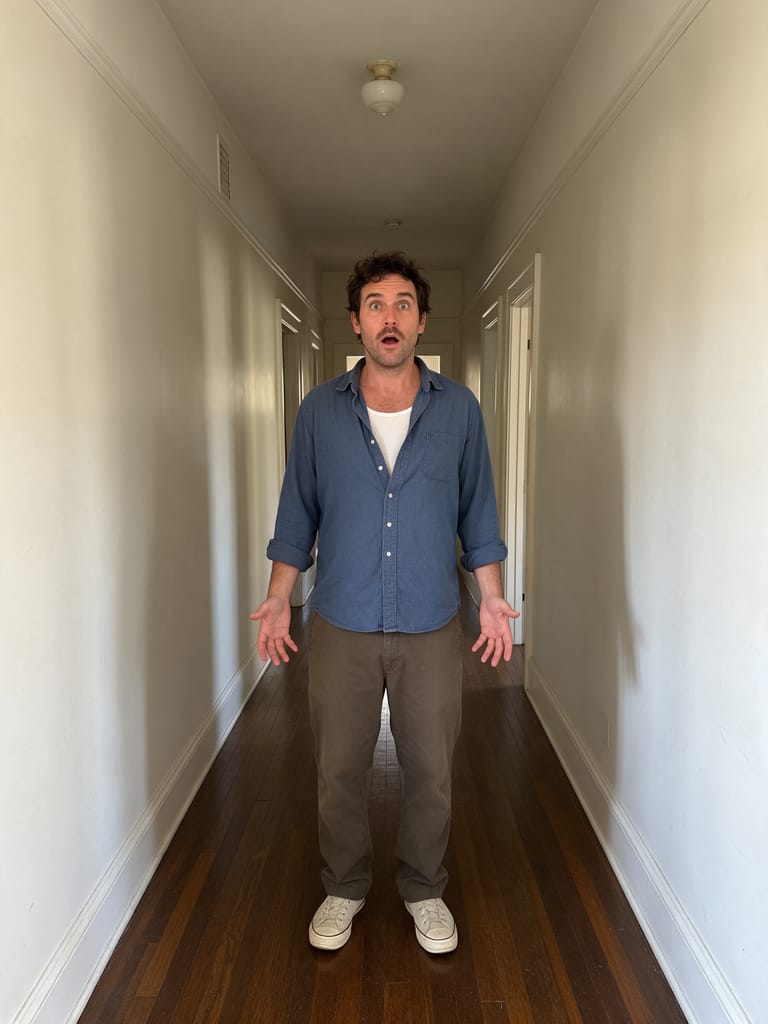
Step 1: Choose a medium shot with depth behind the person
Use one JPG or PNG, up to 20 MB, with one clear person centered in the frame. Use a photo you have permission to use.
A corridor, receding street or room with objects at different distances gives the effect more depth information than a blank wall. Keep the face sharp and leave some background around the shoulders. Full-body framing is optional; a medium shot can show enough of the person and surroundings.
Avoid a face-only crop, heavy background blur or an object crossing the face. If the source already has distorted edges, they can become harder to assess once the perspective changes.
Step 2: Upload and run the camera preset
Open AI Dolly Zoom, sign in and upload the image. After the upload finishes, check the preview shows the face and some depth behind it. Confirm your balance covers 284 credits, then select Generate once.
There is no focal-length, lens, camera-speed or strength control. Processing can take several minutes. If progress stops updating, check My videos and your balance before generating again.
Step 3: Compare the person and background separately
The preset starts from the photo, asks for a simulated forward camera move with compensating widening of the view, then holds at the new perspective. The person is intended to remain roughly stable in screen size and position. The clip does not intentionally return to the opening view.
Watch the face first, then replay while watching the scene behind it:
| Check | What a missed result can look like |
|---|---|
| Roughly stable subject size | The entire image simply grows larger like a normal zoom. |
| Recognizable face | Eyes, jawline or hair morph as the background moves. |
| Changing sense of depth | Background objects melt, bend or become unrelated scenery. |
| Continuous ending | The view jumps or snaps back instead of settling. |
A simpler scene with visible depth may help another attempt. A sharp face gives a clearer reference, but does not guarantee identity will hold. Each new generation uses credits.
Step 4: Download and add the sound
Select Download video in the studio, or open the completed result in My videos. Add a rising tone or low whoosh in your editor during the perspective change. The output has no audio.
If you want a longer calm opening, prepend a still of the source photo in your editor. Keep captions away from the face and identify the edit as AI-generated when sharing.
FAQ
How is this different from a normal zoom?
The intended effect changes the background's perspective while keeping the person roughly the same size. AI may not achieve that distinction in every result.
Does it need a full-body photo?
No. A centered medium shot with visible background depth suits this preset.
Can I choose the lens or strength?
No. The camera movement is fixed.
Choose a photo with depth and create an AI Dolly Zoom video. For a pull-back that intentionally makes the person shrink, see AI Earth Zoom Out.