Leave a hand visible for the stage wave
The AI Popstar tool turns one portrait into an imagined solo stage moment. The preset adds colourful lights, a small shoulder bounce and one hand wave, then an ending hold. It does not select a celebrity, add singing or synchronize lips to music. Read the effect introduction for the intended sequence.
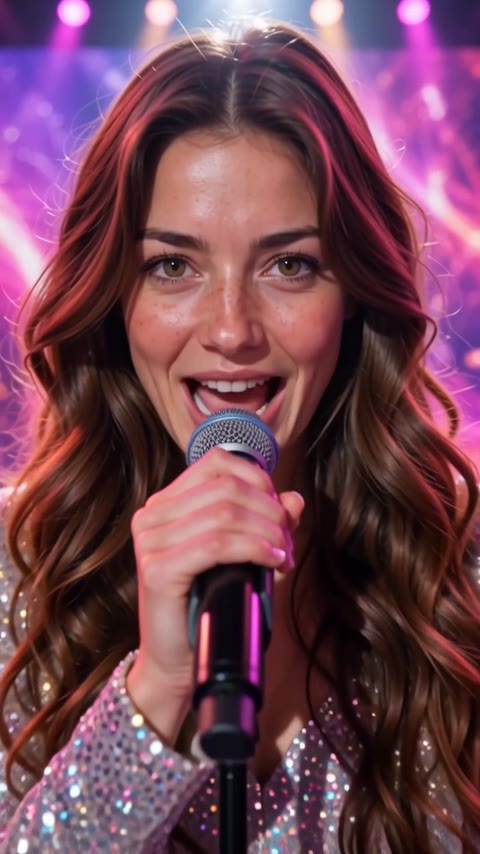
The preset creates a silent, 5-second, 720p video for 284 credits, using your photo's aspect ratio. Check the quote in the studio before generating.
Step 1: Frame the face, shoulders and one hand
Use one JPG or PNG, up to 20 MB, showing one person. A portrait with visible upper body is enough; full-body framing is optional. Use a photo you have permission to use.
- Keep the face sharp and evenly lit so it remains readable under the generated lights.
- Include at least one unobstructed hand for the wave.
- Leave room beside the shoulders for the small gesture.
- Prefer an empty hand, rather than a microphone or another held object that can interfere with the wave.
A face-only crop hides the performance gesture. A group photo can make the model add or merge the wrong performer.
Step 2: Upload and start the solo-stage preset
Open AI Popstar, sign in and upload the photo. When the upload finishes, check that the face and a hand are visible. Confirm your balance covers 284 credits, then select Generate once.
There is no stage, singer, song, microphone or crowd selector. Processing can take several minutes. If progress stops updating, check My videos and your balance before generating again.
Step 3: Watch the face through the lighting change
The preset asks for a generic solo stage to appear, followed by a small shoulder bounce and one hand wave. The hand then lowers while the lights pulse softly and the person holds. The reference outfit is intended to remain, although generated details can change.
| Check | What matters |
|---|---|
| Face under the lights | Eyes and facial structure remain recognizable rather than washed out. |
| One hand wave | Fingers stay natural and no extra arm or prop appears. |
| Solo performer | No added person overlaps the subject. |
| Final stage view | Clothing, backdrop and lights settle without distracting marks or text. |
If the face is lost in the lights, try a better-lit source. If the wave distorts, start with a visible empty hand. Another attempt uses credits, and the generated stage and facial details may still vary.
Step 4: Download and add a track in your editor
Select Download video in the studio, or open the finished clip in My videos. Add your chosen track in TikTok or your editor and align a beat with the wave or light pulse. The video is silent, with no singing or lip sync.
For a before-and-after opening, prepend a short still of the source photo. Keep captions clear of the face and identify the result as AI-generated if you share it.
FAQ
Will it make me look like a famous singer?
The preset asks to retain the uploaded person on a generic stage, rather than selecting a celebrity. Facial details can still change.
Does it add a microphone or singing?
Neither is requested. The fixed performance is a shoulder bounce and hand wave.
Can I pick a venue or stage colour?
No. The backdrop and lighting are generated by the fixed preset.
Choose a clear portrait with a visible hand and create an AI Popstar video. For a full-body movement effect, see Neon Glow Dance.