Choose one clear photo of the pet you want to remember
The Day of the Dead Pet tool creates an imagined pet remembrance clip with marigold-orange light, a few drifting petals and one small head turn. It starts from your photo; it does not recover a real recording or reproduce the pet's actual movement. The effect introduction summarizes the intended scene.
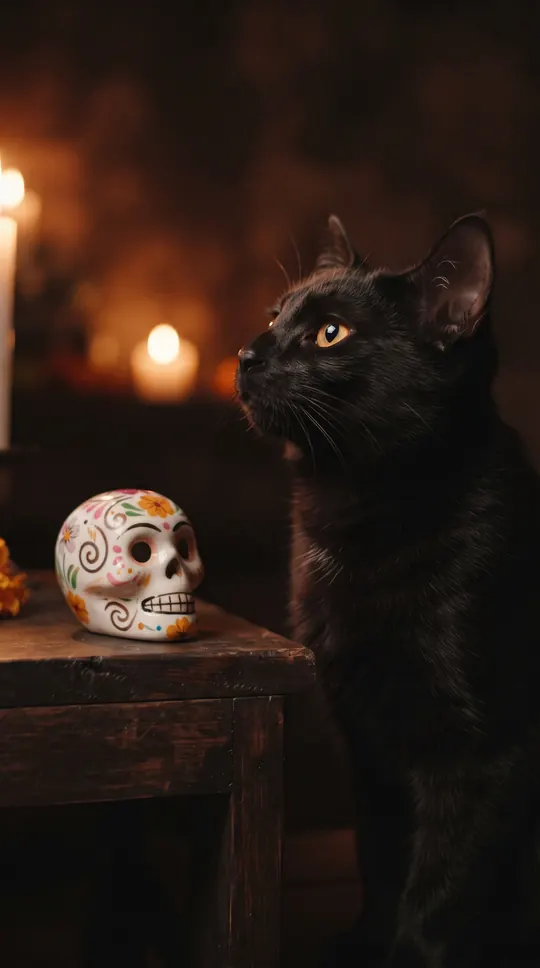
The preset creates a silent, 5-second, 720p video for 284 credits, using your photo's aspect ratio. Check the displayed quote before generating.
Step 1: Keep the face and distinctive markings visible
Use one JPG or PNG, up to 20 MB, showing one pet. Use a photo you have permission to use.
- Choose a sharp face with a readable eye area and distinctive markings.
- Leave a little space around the head for the light and petals.
- Keep the original ears, muzzle, beak or other visible features inside the crop.
- Avoid another animal or a person overlapping the pet.
For an old print, photograph or scan it flat in even light without glare. A tighter crop can remove distractions, but cannot recover missing facial detail. There is no species selector; the photo supplies the animal's appearance.
Step 2: Upload and generate once
Open Day of the Dead Pet, sign in and upload the photo. Wait for the upload to finish and check that only the intended pet is the main subject. Confirm your balance covers 284 credits, then select Generate once.
The light, petals and small movement are preset. There is no species, pose, music or text control. Processing can take several minutes. If status is unclear, check My videos and your balance before submitting again.
Step 3: Compare the animal before and after the head turn
The preset asks for warm light and petals behind the pet, then one small natural head turn and a calm ending hold. It requests the same animal, species, colouring and markings, without a ghost or skull transformation. AI can still alter those details.
Watch the whole clip privately first if you prefer, then compare it with the source:
| Check | What matters |
|---|---|
| Same animal | Species cues, face shape and distinctive markings remain consistent enough for you. |
| Natural head turn | The neck, ears, muzzle or beak move coherently without changing body shape. |
| Clear face | Petals and light do not obscure the eyes or important markings. |
| Calm ending | The pet settles rather than making an unexpected large movement. |
If petals cover the face, try more open space around the head. If markings change, a sharper source may help another attempt, but cannot guarantee identity or anatomy will hold. Each new generation uses credits. You can keep a result privately or leave it unused.
Step 4: Download and choose the final presentation
Select Download video in the studio, or open the completed result in My videos. The output has no music or text. Add a gentle track or short message in your editor if you want, keeping the face and markings visible.
If you share the remembrance clip, identify it as AI-generated so viewers understand that the movement and scene are newly imagined.
FAQ
Will the pet become a ghost or sugar skull?
The preset requests light and petals around the original animal, without a ghost or skull transformation. Review for unintended changes.
Can I use a bird or another kind of pet?
There is no species-specific mode. The uploaded photo supplies the appearance, and generated anatomy may still vary.
Can I include two pets?
Choose one pet per source photo for this preset. Multiple animals can blend or confuse the subject.
Choose a clear pet photo and create a Day of the Dead Pet video. For a two-person remembrance scene, see AI Hug in Heaven.